
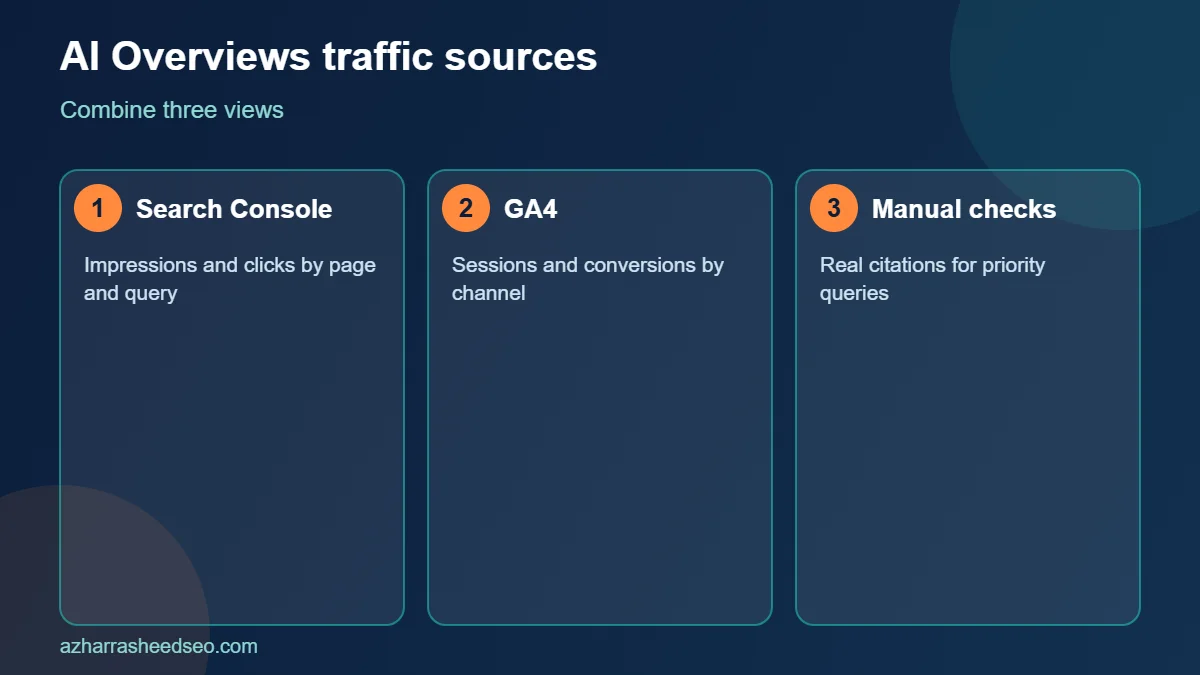
You can track AI Overviews traffic by combining three sources: Google Search Console for impressions and clicks, GA4 for sessions and conversions, and manual checks of the queries where an AI Overview appears. No single report shows AI Overviews traffic perfectly, so this guide shows you a practical 7-step method that gives a reliable, honest picture.
AI Overviews traffic matters because AI answers change how people click. If your pages are cited, you may gain visibility even when clicks fall; if they are not, you may lose clicks you used to get. To understand the bigger picture, read our guides to ranking in Google AI Overviews and generative engine optimization, then use this article to measure what is happening on your own site.
Key takeaways
- Google counts AI Overviews and AI Mode activity inside the overall Search Console performance data, so you track AI Overviews traffic by segmenting that data, not by finding a separate source.
- In June 2026 Google announced Search Generative AI performance reports in Search Console, rolling out first to a subset of websites. Early coverage describes them as showing impressions by page, country, device and date.
- In GA4, clicks from Google AI Overviews arrive as ordinary Google organic traffic, but visits from ChatGPT, Perplexity, Gemini and Copilot can be separated with a custom channel group.
- Treat every AI Overviews traffic number as directional, not exact, and track trends monthly.
What counts as AI Overviews traffic?
AI Overviews traffic is the visibility and visits your website receives from pages that Google shows or links inside an AI Overview, the generated summary that can appear at the top of some search results. It has two parts. The first is exposure, meaning how often your pages appear as sources. The second is clicks, meaning how many people follow a link from the AI Overview to your site.
Google explains in its guidance on AI features and your website that these features rely on the same search foundations as normal results, and that the traffic is part of overall search reporting. That is why AI Overviews traffic is hard to isolate, and why a combined method works best.
Why tracking AI Overviews traffic is difficult
There are four main reasons it is hard to measure AI Overviews traffic precisely:
- Shared reporting: AI Overviews data sits inside the standard performance report rather than a clean, separate click report.
- Limited rollout: the new generative AI reports in Search Console are being rolled out to a subset of sites first, so not every property can see them yet.
- Variable answers: an AI Overview may appear for a query one day and not the next.
- Analytics blind spots: GA4 cannot tell a click from an AI Overview apart from a click on a classic blue link, because both arrive from Google organic search.
Because of these limits, serious tracking of AI Overviews traffic is about patterns across several sources, not a single number.
Step 1: Get your baseline from Search Console
Open Google Search Console and go to Performance and then Search results. Set the date range to the last 16 months if available, and record total clicks, impressions, click-through rate and average position. This baseline is the reference for all your AI Overviews traffic analysis. Without it, you cannot tell whether a change comes from AI features or from normal ranking movement.
Then export the Pages and Queries tables. Sort pages by impressions, and mark the 20 pages that matter most for leads or sales.
Step 2: Check for the Search Generative AI reports
Google announced Search Generative AI performance reports in Search Console in June 2026. According to the announcement and early coverage, the reports cover generative AI features in Search, such as AI Overviews and AI Mode, and show impressions by page, country, device and date. Google says the data is part of the overall performance report, and that the reports are rolling out to a subset of websites first.
Open your property and look for the new report in the Performance section of the menu. If you see it, use it to find which URLs appear in generative AI features and how that changes over time. If you do not see it yet, do not worry: use the other steps in this guide, and check again every few weeks. Remember that the reports focus on impressions, so they tell you where you are visible, not how many clicks you received from AI Overviews.
Step 3: Find likely AI-style queries in the performance report
People who use AI search often type longer, conversational questions. You can spot many of them in the standard Queries table. In Search Console, add a Query filter, choose Custom (regex) and use a pattern for long queries, for example ^(\S+\s+){7,}\S+$, which matches queries of eight words or more. Add another filter for question words such as who, what, why, how, can, should and best.
Compare clicks, impressions and click-through rate for these long queries against the previous period. If impressions are rising while clicks are flat or falling, an AI answer may be answering the question on the results page. If both rise, your pages are probably benefiting from AI-driven discovery. Note that Search Console hides rare queries for privacy, so this view always undercounts.
Step 4: Track referral traffic from AI platforms in GA4
Many AI tools send visitors with a referrer that you can see in GA4. Open GA4 and go to Reports, Acquisition and Traffic acquisition. Change the primary dimension to Session source and look for sources such as chatgpt.com, perplexity.ai, gemini.google.com, copilot.microsoft.com and claude.ai.
To make this repeatable, create a custom channel group:
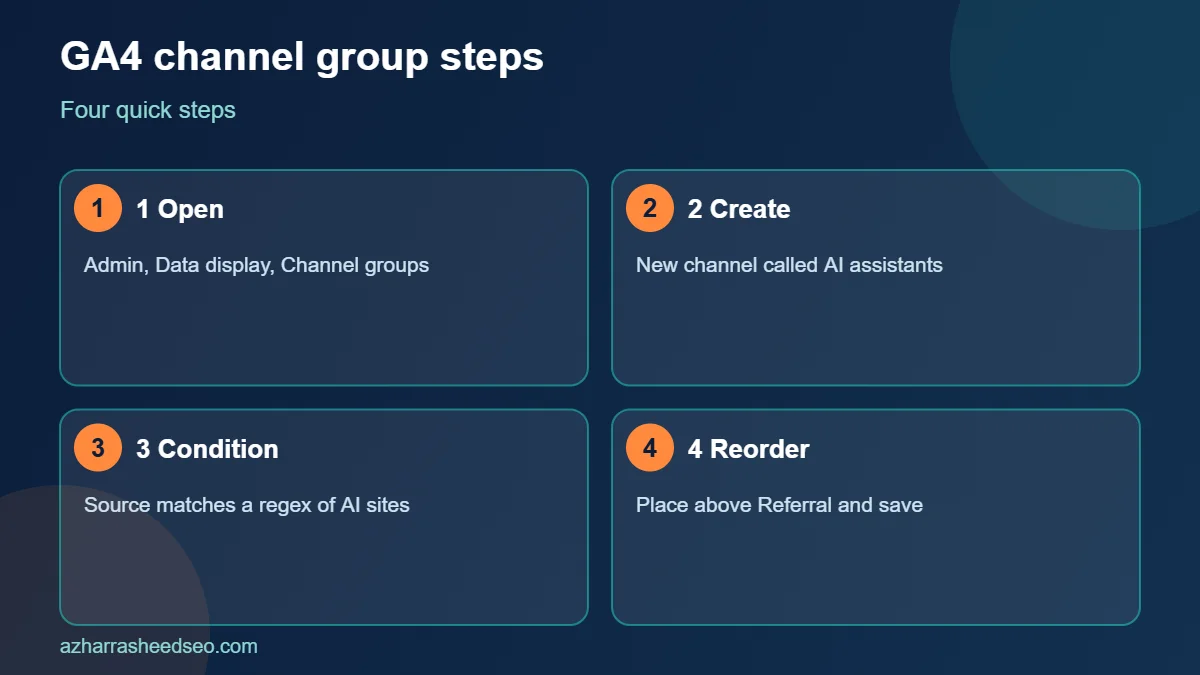
- In GA4, open Admin, then Data display, then Channel groups.
- Create a new channel group and add a channel called AI assistants.
- Set the condition to Source matches regex, and enter a pattern such as
chatgpt.com|perplexity|gemini.google.com|copilot.microsoft.com|claude.ai. - Move the new channel above the default Referral channel so that it takes priority, then save.
After a few days, the AI assistants channel will appear in your acquisition reports. Use it to see sessions, engagement and conversions from AI tools. Remember that this is not Google AI Overviews traffic, which GA4 records as Google organic. It is a separate and useful measure of AI visibility.
Step 5: Build a landing page view in GA4
Next, look at which pages receive organic visits and AI referrals. In GA4, open Reports, Engagement and Landing page. Add a secondary dimension for Session default channel group, then filter to Organic Search and to your new AI assistants channel. Compare the lists. Pages that appear in both are your strongest candidates for AI visibility, and pages that appear in neither are candidates for improvement using the steps in our on-page SEO checklist.
Also set up key events, such as form submissions, WhatsApp clicks and phone calls, so that you can measure whether AI visitors take action. Visitors from AI answers are often further along in their research, so conversion rate can matter more than raw volume.
Step 6: Run manual AI Overviews checks
Automated data will always miss something, so add a manual routine. Create a spreadsheet with 20 to 30 priority queries. Once a month, search each query in a private browser window, from the country you serve, and record four things:
- Whether an AI Overview appears.
- Whether your website is cited as a source.
- Which competitor pages are cited.
- Your classic organic position for the query.
Take screenshots and add the date. Because AI Overviews vary between runs, repeat uncertain checks on a second day. Over three months, this log shows whether your AI Overviews traffic opportunities are growing, which pages win citations and which topics need stronger content.
Step 7: Connect the data and report monthly
Combine your sources into one simple monthly report. A useful structure has five blocks: overall organic clicks and impressions, performance of the pages that appear in generative AI reports, long and question-style query trends, sessions and conversions from the AI assistants channel, and the results of your manual AI Overviews checks.
| Data source | What it shows | What it cannot show |
|---|---|---|
| Search Console performance | Clicks, impressions and positions for all search results | A clean split of AI Overviews clicks |
| Search Generative AI reports | Impressions by page, country, device and date for AI features | Clicks from AI features (where not reported) |
| GA4 organic search | Sessions and conversions from Google | Which clicks came from an AI Overview |
| GA4 AI assistants channel | Visits from ChatGPT, Perplexity, Gemini and similar tools | Visits where the referrer is stripped |
| Manual checks | Real citations and competitor sources | Scale, because it is sampled |
How to read your AI Overviews traffic data
Once your tracking is in place, interpret changes carefully. Here are four common patterns and what they usually mean:
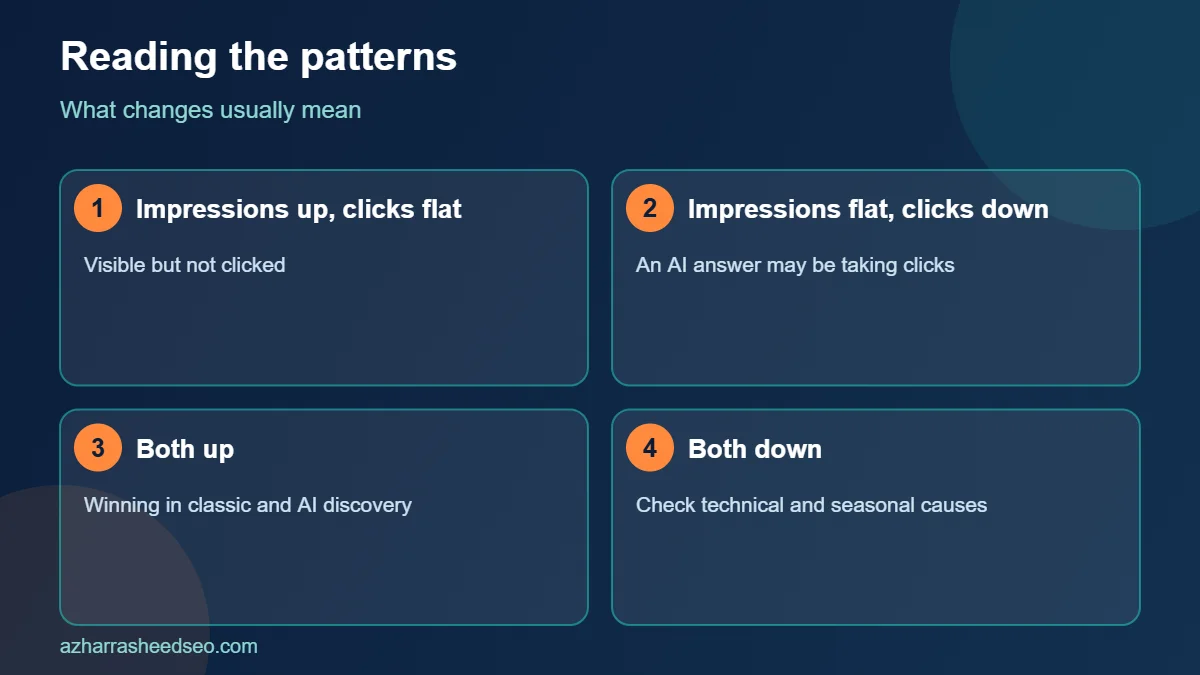
- Impressions up, clicks flat: your pages are visible, perhaps inside AI answers, but searchers are not clicking. Improve titles, add unique data and make the click worth it.
- Impressions flat, clicks down: an AI Overview may have appeared above your result. Check the query manually and consider whether you can be cited.
- Both up: your content is winning in classic and AI-driven discovery. Protect these pages and update them regularly.
- Both down: look for technical, ranking or seasonal causes first, using a technical SEO audit.
Do not draw conclusions from one week of data. Seasonality, algorithm updates and demand changes all move traffic. Look at four to eight weeks, and compare year over year where possible.
What studies say about clicks and AI Overviews
Independent research suggests that being cited matters. In an analysis of 53 brands, Seer Interactive found that organic click-through rate was about 3.3 percent on queries with no AI Overview, about 2.1 percent when an AI Overview cited the page, and about 0.9 percent when it appeared without citing the page, as reported by Search Engine Land. The lesson for AI Overviews traffic is simple: aim to be among the cited sources, and measure whether that happens.
These figures describe averages across many sites and queries. Your own numbers may differ, which is why tracking your site is so valuable.
How to improve AI Overviews traffic after you measure it
Measurement is only useful if it leads to action. Use your data to improve the pages that matter most:
- Add a direct, quotable answer near the top of each priority page.
- Support claims with named, dated sources and original data.
- Strengthen author information, your About page and business profile so your entity is clear.
- Fix crawling, indexing and speed problems that block eligibility. Our technical SEO checklist covers them.
- Earn mentions from trusted third-party sites, which reinforce who you are.
Recheck the same queries after a month to see whether the changes increased citations and AI Overviews traffic.
Common mistakes when tracking AI Overviews traffic
- Expecting exact numbers. Reporting is partial, so treat results as directional.
- Confusing AI assistant referrals with Google AI Overviews. They are different sources with different tracking methods.
- Ignoring conversions. A smaller number of better-qualified visitors can be worth more than many weak clicks.
- Changing too many things at once. Make controlled changes so you can see what worked.
- Skipping the baseline. Without a starting point, no trend means anything.
Frequently asked questions
Can I see AI Overviews traffic in Google Analytics?
Not directly. GA4 records clicks from AI Overviews as normal Google organic traffic. You can, however, track visits from AI assistants such as ChatGPT and Perplexity with a custom channel group.
Does Search Console show AI Overviews data?
Google includes AI Overviews and AI Mode activity in the overall performance data. In June 2026 it also announced Search Generative AI performance reports, rolling out first to a subset of sites, which show impressions by page, country, device and date.
How do I know if my page is cited in an AI Overview?
Search your target queries manually, from your target country, and look at the source links in the AI Overview. Also check the generative AI reports in Search Console if you have access.
Why did my clicks drop when impressions went up?
A generated answer may satisfy the searcher on the results page, so fewer people click. Improve your titles and add value that an AI summary cannot give, such as original data, tools and expert opinion.
How often should I check AI Overviews traffic?
Review Search Console and GA4 monthly, and run manual checks of your priority queries once a month. Weekly checks tend to be too noisy to be useful.
Do I need special tools to track AI Overviews traffic?
No. Search Console, GA4 and a spreadsheet are enough to start. Paid tools can automate monitoring later, but they use the same underlying approach.
Next steps
Set up your baseline in Search Console today, create the AI assistants channel in GA4 and start your manual log with ten important queries. If you would like help building a reporting dashboard for AI search, request a free SEO audit and we will review your setup.
Sources: Google Search Central, AI features and your website; Google Search Central Blog, Search Generative AI performance reports; Search Engine Land, summary of Seer Interactive’s AI Overview CTR study. Last updated 28 October 2026.
About the author: Azhar Rasheed Qureshi is an SEO specialist based in Pakistan who works on SEO, AEO, GEO, local SEO and WordPress development for local and international businesses. Connect on LinkedIn.