
Schema markup is code added to a web page that describes its content in a standard vocabulary, such as an article, a local business, a product or a person, so that search engines can understand the page more accurately. Google recommends adding schema markup as JSON-LD, a block of structured data placed in the page, and says it can make pages eligible for certain rich results.
This guide explains what schema markup is, which types matter for business websites, how to add schema markup to WordPress step by step, how to test it and which mistakes to avoid. It includes copy-ready JSON-LD examples for a local business and an article. If you want the wider technical context, read our technical SEO audit guide and the on-page SEO checklist.
Key takeaways
- Schema markup describes your content to search engines in a shared vocabulary from Schema.org, and Google recommends the JSON-LD format.
- this markup must describe what visitors can actually see on the page. Marking up hidden or false content breaks Google’s guidelines.
- Google says there is no special JSON-LD required to appear in AI Overviews or AI Mode, but accurate markup still helps search systems understand your pages.
- Always test structured data with the Rich Results Test and the these tags Validator before and after you publish.
What is schema markup?
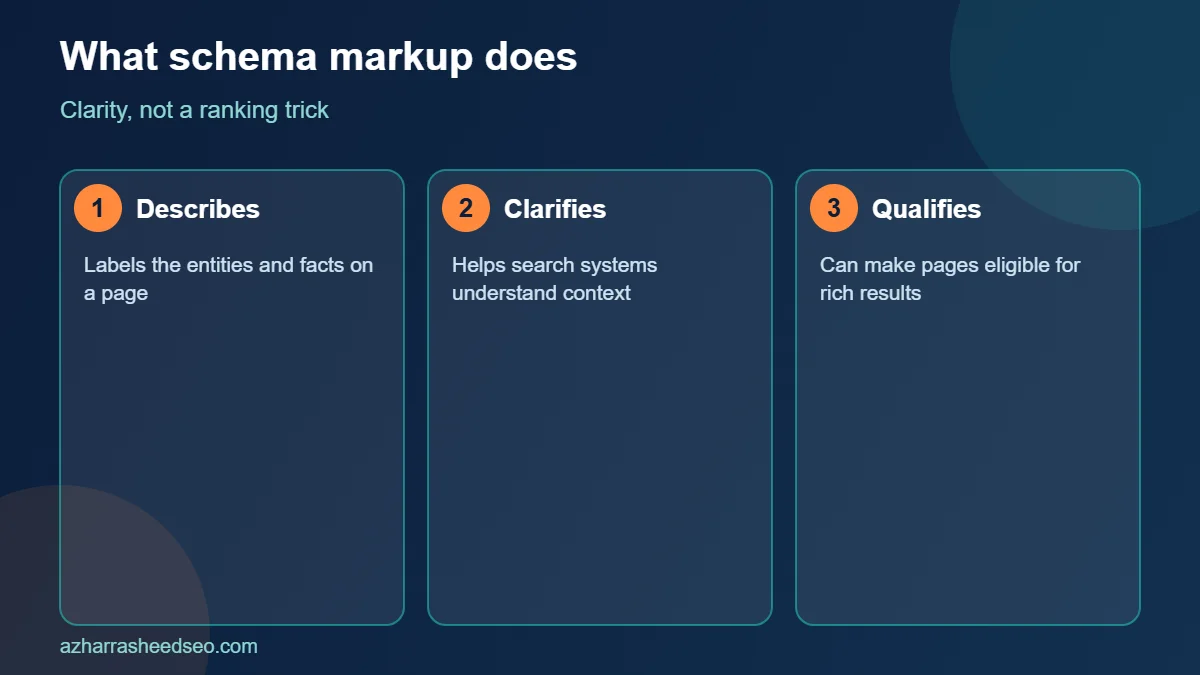
structured data is a type of structured data. It uses the shared vocabulary from Schema.org, which was created by major search engines, to label the entities and facts on a page. For example, this markup can tell a search engine that a page is an article, who wrote it, when it was published, which organisation published it and what image represents it.
The page text says the same thing to a human reader, but the code states it in a precise, machine-readable form. Google explains in its introduction to structured data that it uses this information to understand the content of the page and to gather information about the web and the world, and that some markup can make a page eligible for enhanced search appearances.
Why schema markup matters for SEO
this markup does not guarantee higher rankings. Its value is clarity and eligibility. Done well, JSON-LD can:
- Help search engines understand who you are, what you offer and where you operate, which strengthens your entity signals.
- Make some pages eligible for rich results such as product details, review snippets, breadcrumbs, videos and events, where Google still supports them.
- Keep your business details consistent across your website, Google Business Profile and other sources.
- Support AI search systems that read and summarise web pages, even though no special markup is required for them.
Treat these tags as part of good technical hygiene, not as a trick. Pages with weak content do not become strong because of markup alone.
Schema markup formats: JSON-LD, Microdata and RDFa
There are three common formats for the code. JSON-LD is a block of JavaScript Object Notation placed inside a script tag, separate from the visible HTML. Microdata and RDFa add attributes directly to HTML elements. Google supports all three but recommends JSON-LD because it is easier to add, maintain and keep error-free, especially on WordPress where plugins can output it automatically. This guide uses JSON-LD throughout.
The most useful schema markup types for business websites
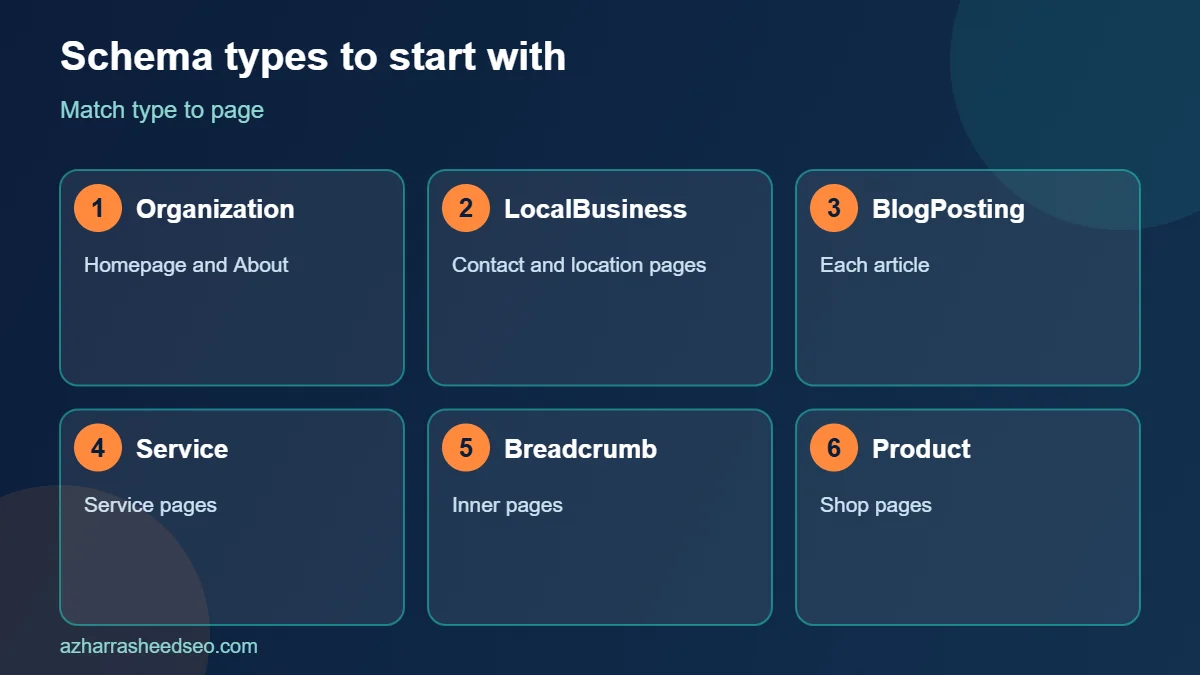
| Schema type | Use it for | Where to place it |
|---|---|---|
| Organization | Your company name, logo, social profiles and contact details | Homepage or About page |
| LocalBusiness | Address, phone, hours, service area and geo coordinates for local businesses | Contact and location pages |
| Article or BlogPosting | Blog posts, with author, dates and image | Each blog post |
| Person | Author details and credentials | Author page or inside Article |
| BreadcrumbList | Page hierarchy shown in results | All inner pages |
| Product and Offer | Product name, price, availability, ratings | Product pages |
| Service | A service you provide and the area you serve | Service pages |
| VideoObject | Embedded videos | Pages with videos |
Google publishes a search gallery of supported structured data features. Check it before you spend time on a type, because Google adds and removes rich result features over time. For example, Google has stopped showing FAQ rich results, so FAQ the code should be added for clarity to readers and machines, not for a visual badge in search.
Step 1: Choose the schema markup types for each page
List your page types and match each to the right the code. A typical small business website might use Organization on the homepage, LocalBusiness on the contact page, Service on each service page, BlogPosting on each article and BreadcrumbList across the site. Keep it simple, and add only types that describe real content on the page.
Step 2: Write your schema markup in JSON-LD
Here is a basic LocalBusiness example. Replace each value with your own real, visible details and keep it identical to what appears on the page and on your Google Business Profile.
<script type="application/ld+json">
{
  "@context": "https://schema.org",
  "@type": "LocalBusiness",
  "name": "Example Dental Clinic",
  "url": "https://www.example.com/",
  "telephone": "+92-300-0000000",
  "image": "https://www.example.com/images/clinic.webp",
  "address": {
    "@type": "PostalAddress",
    "streetAddress": "12 Main Boulevard",
    "addressLocality": "Lahore",
    "addressCountry": "PK"
  },
  "openingHoursSpecification": [{
    "@type": "OpeningHoursSpecification",
    "dayOfWeek": ["Monday","Tuesday","Wednesday","Thursday","Friday"],
    "opens": "09:00",
    "closes": "18:00"
  }]
}
</script>
And here is a simple BlogPosting example for an article page:
<script type="application/ld+json">
{
  "@context": "https://schema.org",
  "@type": "BlogPosting",
  "headline": "these tags: How to Add It",
  "datePublished": "2026-11-02",
  "dateModified": "2026-11-02",
  "author": {
    "@type": "Person",
    "name": "Azhar Rasheed Qureshi"
  },
  "image": "https://www.example.com/images/schema-guide.webp"
}
</script>
These are starting points. Add more properties only when you can support them with visible content, such as a logo, social profiles in the sameAs property, a price range or an area served.
Step 3: Add schema markup to WordPress
You have three practical ways to add this markup to a WordPress website:
- Use your SEO plugin. Rank Math and Yoast SEO output Organization, WebSite, Article and BreadcrumbList structured data automatically, and let you choose the type for each post or page. Rank Math also lets you add specific schema types, such as LocalBusiness, Product and Service, from its Schema tab. This is the best option for most sites.
- Use a dedicated schema plugin. A specialised plugin can help if you need many custom types, but avoid running two plugins that output the same type, because duplicate or conflicting these tags causes errors.
- Add custom JSON-LD manually. For a single page, you can paste a script block into a Custom HTML block or use a header and footer scripts plugin. This suits one-off needs, such as a LocalBusiness block on your contact page.
Whatever you choose, make one plugin responsible for each type and check the final page source to confirm that the JSON-LD appears once and is valid.
Step 4: Test your schema markup
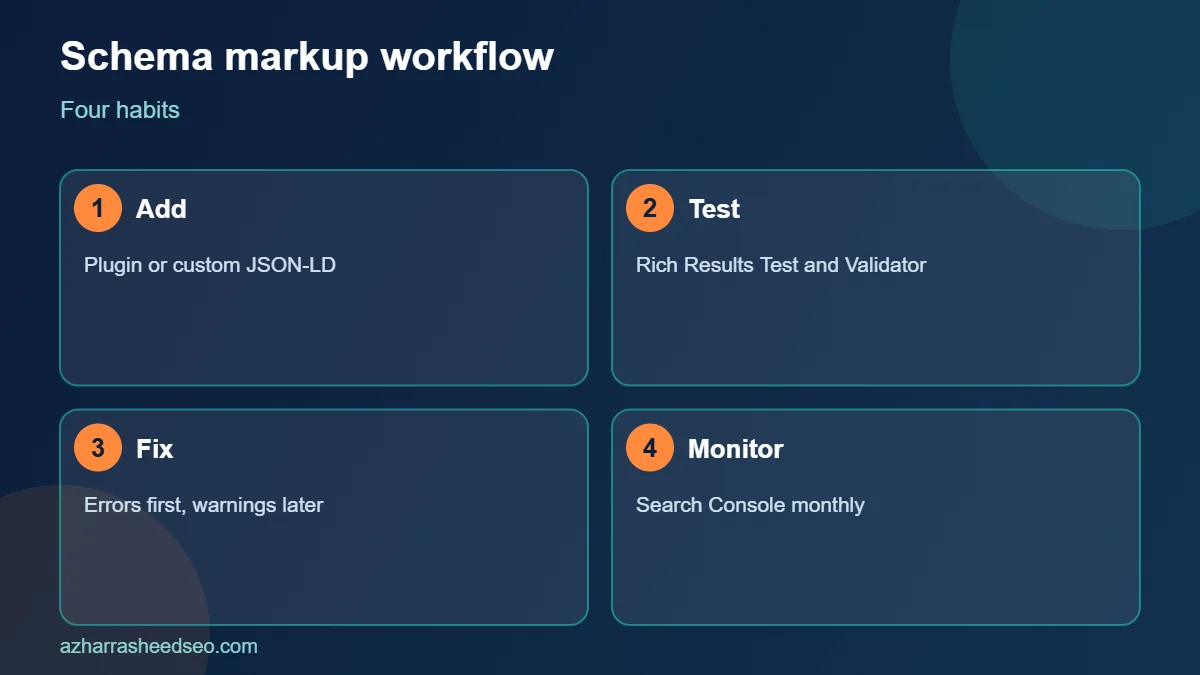
Always test JSON-LD before you publish and after any change. Two free tools cover most needs:
- Google’s Rich Results Test checks whether a page is eligible for Google rich results and lists errors and warnings for supported types.
- The Schema Markup Validator checks any Schema.org markup for syntax and vocabulary issues, including types that are not tied to Google features.
Fix all errors first. Warnings point to optional properties and can be addressed later. After publishing, monitor the Enhancements section in Google Search Console, which reports issues for supported structured data types across your site.
Step 5: Follow Google’s schema markup guidelines
Google’s structured data policies are strict, and breaking them can lead to a manual action that removes rich results. The main rules are simple and sensible:
- Mark up only content that visitors can see on the page.
- Do not describe content that is false, misleading or irrelevant to the page.
- Do not add review markup for reviews you wrote about your own business on your own site in a way that misleads users. Follow Google’s review snippet rules for each type.
- Keep the markup accurate and up to date, including prices, hours and availability.
- Use the correct type for the content instead of the type that you hope will produce a rich result.
Step 6: Connect your entities with sameAs and IDs
For stronger entity clarity, link your Organization or Person markup to the official profiles that describe you, using the sameAs property. Typical entries include your LinkedIn page, your Facebook page, your Google Business Profile URL and other verified profiles. Use stable identifiers so that your Organization, WebSite and Article markup refer to the same entity across the site. Plugins such as Rank Math and Yoast build this graph for you, so check that the details they output are correct, complete and consistent with the page.
Schema markup for local businesses in Pakistan
For a local business, LocalBusiness this markup supports what your Google Business Profile already says. Use the most specific type available, such as Dentist, Restaurant or LegalService, and match the name, address and phone number exactly to your profile. Add opening hours, price range if applicable and the area you serve. Pair this with strong content and reviews, as described in our Google Business Profile optimization guide and local SEO checklist. Consistent details across the site, the profile and structured data help search systems trust that your business is real and matches the searcher’s location.
Schema markup and AI search
Many people ask whether these tags helps with AI Overviews and AI tools. Google states in its guidance on AI features and your website that there are no additional requirements to appear in AI Overviews or AI Mode, and no special schema markup is needed. It also says structured data should match the visible text on the page. So the honest answer is that schema markup is not a switch for AI visibility, but it supports understanding, and accurate markup is part of a solid foundation for generative engine optimization and answer engine optimization.
Common schema markup mistakes
- Duplicate markup. A theme and two plugins all output Article schema, causing conflicts. Keep one source for each type.
- Markup that does not match the page. Prices, hours or ratings in the markup that differ from the visible content are a policy problem.
- Using the wrong type. Choose the most accurate type, not the type that sounds most impressive.
- Missing required properties. The Rich Results Test lists them. Fix errors before warnings.
- Setting and forgetting. Update markup when your address, hours, prices or logo change.
- Expecting rankings from markup alone. Schema markup helps understanding, but quality content and technical health still come first.
A quick schema markup checklist
- List the page types on your site and the right schema markup type for each.
- Check what your SEO plugin already outputs, and fill in its schema settings completely.
- Add LocalBusiness or Service markup where needed, matching visible details exactly.
- Test key templates in the Rich Results Test and Schema Markup Validator.
- Fix errors, then review warnings.
- Monitor Search Console for structured data issues every month.
- Update the markup whenever business details change.
Frequently asked questions
What is schema markup in SEO?
Schema markup is structured data, written in a shared vocabulary from Schema.org, that describes the content of a page so that search engines can understand it and, in some cases, show enhanced results.
Does schema markup improve rankings?
Schema markup is not a direct ranking factor that Google promises, but it helps search engines understand your content and can make pages eligible for rich results, which may improve click-through rates.
Which schema markup format is best?
Google recommends JSON-LD. It is easier to maintain than Microdata or RDFa because it lives in a separate script block instead of being woven through the HTML.
How do I add schema markup to WordPress?
Use an SEO plugin such as Rank Math or Yoast SEO for automatic markup, add specific types in the plugin’s schema settings, or paste custom JSON-LD into a Custom HTML block for individual pages.
How do I test schema markup?
Use Google’s Rich Results Test for Google-supported features and the Schema Markup Validator for general Schema.org checks. Monitor Search Console for issues after you publish.
Do I need schema markup for AI Overviews?
No. Google states that no special markup is required to appear in AI Overviews or AI Mode. Accurate schema markup still supports understanding and is good practice.
Next steps
Pick one page type, such as your contact page or blog template, and test its current schema markup in the Rich Results Test today. If you need help setting up schema markup for a WordPress website, request a free SEO audit and we will review your structured data.
Sources: Google Search Central, introduction to structured data; Google Search Central, structured data search gallery; Google Search Central, AI features and your website; Schema.org. Last updated 28 October 2026.
About the author: Azhar Rasheed Qureshi is an SEO specialist based in Pakistan who works on SEO, AEO, GEO, local SEO and WordPress development for local and international businesses. Connect on LinkedIn.