
Core Web Vitals are three measurements Google uses to describe real-world page experience: Largest Contentful Paint (LCP) for loading speed, Interaction to Next Paint (INP) for responsiveness, and Cumulative Layout Shift (CLS) for visual stability. To pass Core Web Vitals on WordPress, you need an LCP of 2.5 seconds or less, an INP of 200 milliseconds or less and a CLS of 0.1 or less, measured for at least 75 percent of visits.
This guide explains each metric in plain language, shows how to measure Core Web Vitals correctly and gives nine proven fixes for WordPress sites, including sites built with Elementor and other page builders. It is written for business owners, marketers and developers in Pakistan and elsewhere who want faster, more usable websites. For the wider technical picture, see our technical SEO audit guide and the technical SEO checklist.
Key takeaways
- Good Core Web Vitals thresholds, according to web.dev, are LCP at 2.5 seconds or less, INP at 200 milliseconds or less and CLS at 0.1 or less.
- Most WordPress Core Web Vitals problems come from large images, slow hosting, heavy themes and plugins, render-blocking scripts and late-loading elements.
- Always check field data (real users) first, then use lab tests to find the cause of the problems.
- Core Web Vitals are one part of page experience. Google says helpful content still matters most, so fix speed without neglecting quality.
What are Core Web Vitals?
Core Web Vitals are a set of metrics from Google that measure how real visitors experience your pages. They focus on three moments: how quickly the main content loads, how quickly the page responds when someone interacts with it, and how stable the layout is while it loads. Google explains the idea in its Web Vitals guide on web.dev.
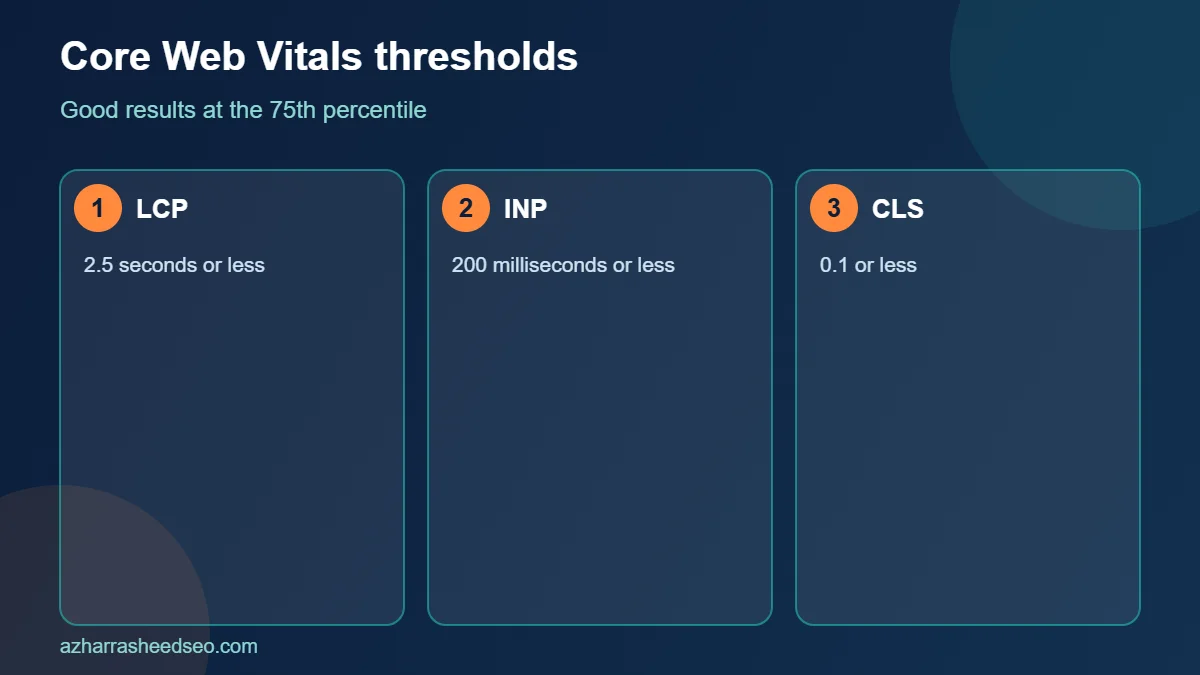
| Metric | What it measures | Good | Needs improvement | Poor |
|---|---|---|---|---|
| LCP | Loading: when the largest visible element appears | 2.5 s or less | 2.5 to 4 s | Over 4 s |
| INP | Responsiveness: delay between interaction and visual update | 200 ms or less | 200 to 500 ms | Over 500 ms |
| CLS | Visual stability: unexpected layout movement | 0.1 or less | 0.1 to 0.25 | Over 0.25 |
INP replaced First Input Delay as a Core Web Vital in March 2024. If you read older articles that talk about FID, remember that the responsiveness metric is now INP, which looks at all interactions during a visit instead of only the first.
Do Core Web Vitals affect SEO?
Yes, but in a limited way. Google’s page on page experience says that Core Web Vitals are used by its ranking systems and that good results are recommended for success in Search. It also says that great page experience does not override having relevant, helpful content. In practice, Core Web Vitals work as a tiebreaker and a quality signal: they will not rescue a weak page, but poor Core Web Vitals can hold back a strong one and, more importantly, they directly affect conversions because slow, jumpy pages frustrate people.
How to measure Core Web Vitals correctly
Before you fix anything, measure Core Web Vitals with the right data. There are two kinds:
- Field data comes from real Chrome users and is what Google uses. You can see it in the Core Web Vitals report in Google Search Console and in the top section of PageSpeed Insights.
- Lab data comes from a simulated test, such as the Lighthouse section of PageSpeed Insights. It is perfect for debugging, but it can differ from real-world results.
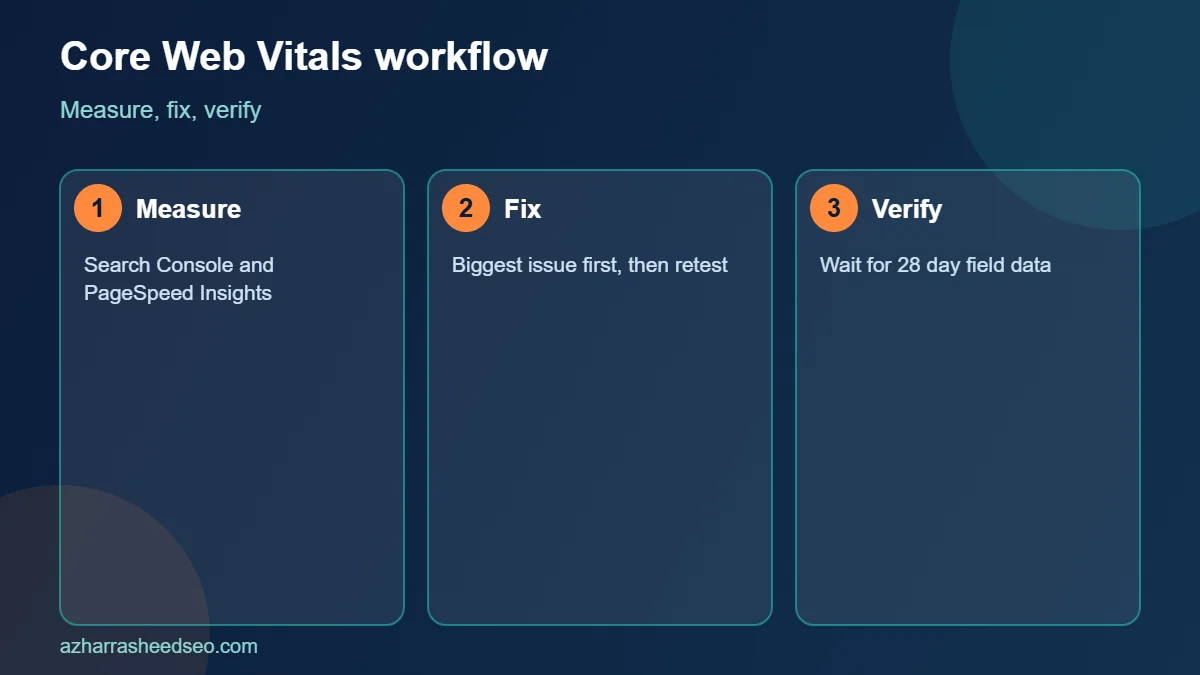
Start with Search Console. Open Experience and then Core Web Vitals, and review the groups of URLs marked poor or needs improvement on mobile. Then test a sample page from each group in PageSpeed Insights. Fix the biggest issue first, retest and repeat. Remember that field data updates over a rolling 28-day window, so improvements take weeks to show fully.
Fix 1: Improve Largest Contentful Paint (LCP) on WordPress
LCP measures when the biggest visible element, usually a hero image, a slider or a large heading, is rendered. Google’s guide to LCP explains that slow server response, render-blocking resources, slow resource load times and client-side rendering are the main causes. For WordPress, work through this list:
- Find the LCP element in PageSpeed Insights, and optimise that specific image or block first.
- Compress and resize the hero image so it is no larger than it needs to be, and serve it as WebP or AVIF.
- Do not lazy-load the LCP image. Lazy loading above-the-fold images delays them. Recent WordPress versions handle this for the first images automatically, but themes and builders can override it, so check your page source.
- Prioritise the hero image with a high fetch priority, or preload it, so the browser downloads it early.
- Avoid heavy sliders in the first screen. A single static, optimised image almost always loads faster than a carousel.
Fix 2: Improve server response time and hosting
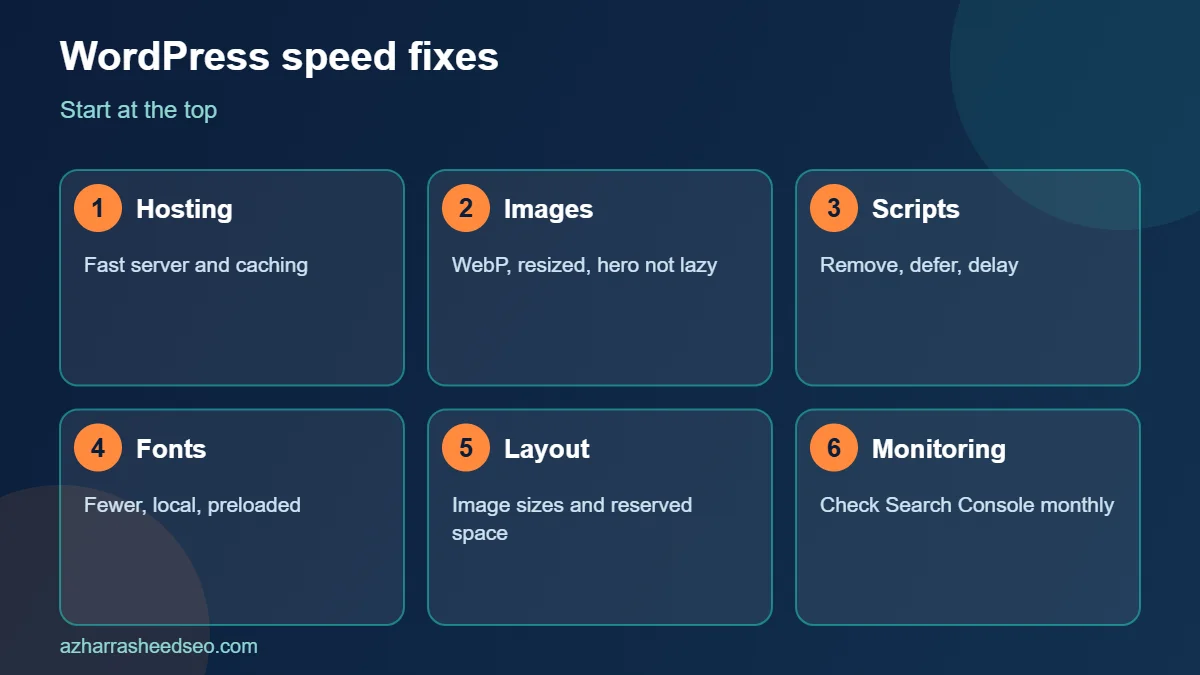
If the server is slow, every other fix has less effect, because the page cannot start loading until the first byte arrives. On WordPress, a slow Time to First Byte is often caused by cheap shared hosting, no page caching, an outdated PHP version or a heavy database. To improve it:
- Use a host with fast servers near your visitors, and a recent supported PHP version.
- Install a page caching plugin or use server-level caching so pages are served as static files.
- Use a content delivery network (CDN) to serve images and files from locations close to users, which helps when your audience is spread across Pakistan, the Gulf and the UK.
- Remove unused plugins and clean up the database, including old post revisions and transients.
Fix 3: Optimise images across the site
Images are the most common reason WordPress sites fail Core Web Vitals. Build a simple image routine: resize images to the largest size they will be displayed at, compress them, convert them to WebP, use descriptive file names and alt text, and set explicit width and height attributes. WordPress has supported WebP uploads for several years, and many optimisation plugins convert old images in bulk. Lazy-load images below the first screen, but not the main image at the top.
Fix 4: Reduce render-blocking CSS and JavaScript
Browsers must download and process CSS and JavaScript before they can show some content. Too many files or large files slow LCP and hurt Core Web Vitals overall. To reduce the load:
- Remove plugins and theme features you do not use. Each one can add scripts and styles to every page.
- Minify and combine files where it helps, and test carefully, because aggressive combining can break layouts.
- Inline the small amount of critical CSS needed for the first screen, and load the rest later, using a performance plugin that supports this.
- Defer non-essential JavaScript so it does not block rendering.
Fix 5: Improve Interaction to Next Paint (INP)
INP measures how long it takes for the page to visually respond after a click, tap or key press. The INP guide on web.dev explains that long JavaScript tasks on the main thread are the usual cause. WordPress sites often struggle with INP because of third-party scripts and heavy page builders. Try these fixes:
- Audit third-party scripts. Chat widgets, social feeds, heat maps, ad scripts and tag managers can all block the main thread. Keep only those that earn their place.
- Delay non-essential scripts until the user interacts with the page.
- Reduce page size and DOM complexity. Very large pages with thousands of elements make every interaction slower.
- Check menus, filters and forms. Test the interactions your visitors use most, on a mid-range phone, not only on a fast desktop.
Fix 6: Improve Cumulative Layout Shift (CLS)
CLS measures how much visible content moves while the page loads. As web.dev’s CLS guide explains, shifts are usually caused by images without dimensions, ads and embeds without reserved space, late-loading web fonts and content injected above existing content. To fix them on WordPress:
- Make sure every image and video has width and height attributes, so the browser reserves space.
- Reserve fixed space for ads, banners, cookie notices and embeds.
- Load web fonts with a sensible display setting, and preload important fonts, to prevent text from jumping when the font arrives.
- Avoid inserting banners or pop-ups above content after the page has started to render.
Fix 7: Optimise fonts and icons
Custom fonts and icon libraries add requests and can delay text. Use fewer font families and weights, host fonts locally where possible and subset them to the characters you need. Replace large icon packs with a small set of inline SVG icons. These changes help LCP, because text often is the largest element, and they help CLS by limiting font swaps.
Fix 8: Core Web Vitals fixes for Elementor and page builders
Page builders make design easy but can add large amounts of markup, CSS and JavaScript. If your site uses Elementor or a similar builder, check these points to improve Core Web Vitals:
- Use the built-in performance options for loading assets and fonts efficiently, and review experimental features carefully, since available options change between versions.
- Keep sections simple. Deeply nested containers increase page size and slow interactions.
- Avoid stacking many animations, sliders and video backgrounds on one page.
- Use a lightweight theme as the base, so the builder does not have to override heavy styles.
- Test your most important templates after each change, because a global change can improve or hurt every page.
Fix 9: Use caching, a CDN and regular monitoring
Technical fixes decay. A new plugin, a new tracking script or a new banner can undo months of work. Keep your Core Web Vitals healthy by turning on page caching and a CDN, and by checking Search Console monthly. After any major change, retest your key pages. Keep a simple log of what you changed, the date and the result, so you can undo changes that hurt.
A step-by-step Core Web Vitals workflow for WordPress
- Open the Core Web Vitals report in Search Console and note the failing URL groups.
- Test one page from each group in PageSpeed Insights, and note the LCP element and the main opportunities.
- Fix hosting, caching and images first, because they usually bring the biggest gains.
- Reduce render-blocking resources and third-party scripts.
- Fix layout shifts by adding image dimensions and reserving space.
- Retest with PageSpeed Insights, then wait for field data to update.
- Repeat monthly and after every major site change.
Common Core Web Vitals mistakes
- Chasing a perfect lab score. A score of 100 in a test does not guarantee good field results. Focus on real-user data.
- Installing too many optimisation plugins. Several caching or minification plugins can conflict and make things worse.
- Testing only on desktop. Most people visit on phones, and Core Web Vitals are assessed separately for mobile.
- Ignoring third-party scripts. Tracking and chat tools are a common hidden cause of poor INP.
- Forgetting the content. Faster pages help, but they still need useful content. Pair this work with our on-page SEO checklist.
How Core Web Vitals relate to AI search
Fast, stable pages are easier to crawl and better for visitors, which helps in classic search and in AI search. Google says in its documentation on AI features in Search that offering a good page experience is one of the best practices for appearing in these features. Strong Core Web Vitals therefore support your work on ranking in Google AI Overviews.
Frequently asked questions
What are Core Web Vitals?
Core Web Vitals are three Google metrics for page experience: LCP for loading, INP for responsiveness and CLS for visual stability. They are measured using real visits to your pages.
What is a good Core Web Vitals score?
A page passes when LCP is 2.5 seconds or less, INP is 200 milliseconds or less and CLS is 0.1 or less for at least 75 percent of visits.
How do I check Core Web Vitals for my WordPress site?
Use the Core Web Vitals report in Google Search Console for real-user data across your site, and PageSpeed Insights to test individual URLs and find specific fixes.
Do Core Web Vitals directly improve rankings?
They are part of Google’s page experience signals, but relevant, helpful content matters most. Good Core Web Vitals help most when pages are otherwise similar, and they always help user experience and conversions.
How long does it take for Core Web Vitals improvements to show?
Field data is collected over a rolling 28-day period, so it can take around a month for improvements to be fully reflected in Search Console.
Why is INP poor on my WordPress site?
The most common causes are heavy JavaScript, third-party scripts such as chat widgets and trackers, large pages with complex markup and page builder overhead. Remove or delay unneeded scripts first.
Next steps
Open the Core Web Vitals report in Search Console today and choose one failing page group to fix this week. If you want an expert to review your WordPress performance, request a free SEO audit and we will check your speed, hosting and technical setup.
Sources: web.dev, Web Vitals; web.dev, Largest Contentful Paint; web.dev, Interaction to Next Paint; web.dev, Cumulative Layout Shift; Google Search Central, page experience. Last updated 28 October 2026.
About the author: Azhar Rasheed Qureshi is an SEO specialist based in Pakistan who works on SEO, AEO, GEO, local SEO and WordPress development for local and international businesses. Connect on LinkedIn.