
A technical SEO audit is a structured review of your website’s crawling, indexing, speed, mobile experience, security and structured data to find problems that stop search engines from reaching, understanding and ranking your pages. This guide walks you through a 12-step technical SEO audit you can run with free tools, using Google Search Console, a crawler and PageSpeed Insights.
A technical SEO audit is different from a content review or a backlink review. It asks one question: can search engines access and process this site efficiently? If the answer is no, great content will still struggle. Use this guide together with our technical SEO checklist, which lists the individual checks, and our on-page SEO checklist for page-level fixes.
Key takeaways
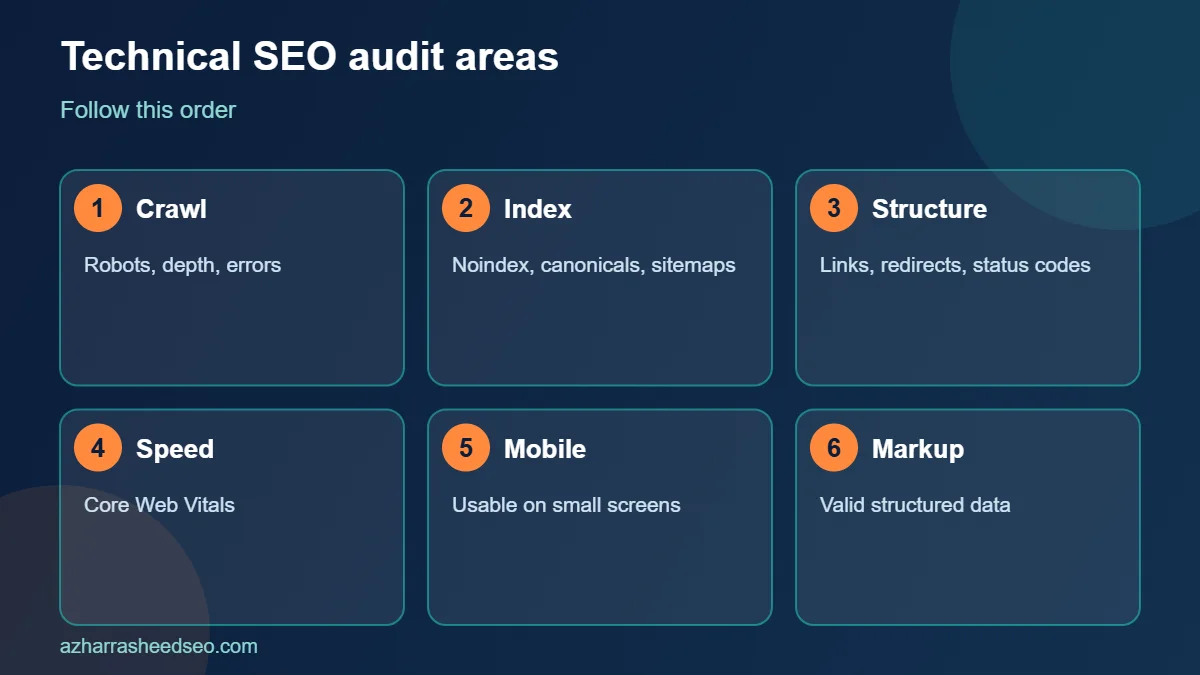
- A technical SEO audit should follow a fixed order: crawl access, indexing, site structure, speed, mobile, security and structured data.
- Google Search Console is the best free source of truth for a technical SEO audit, because it shows what Google actually crawled and indexed.
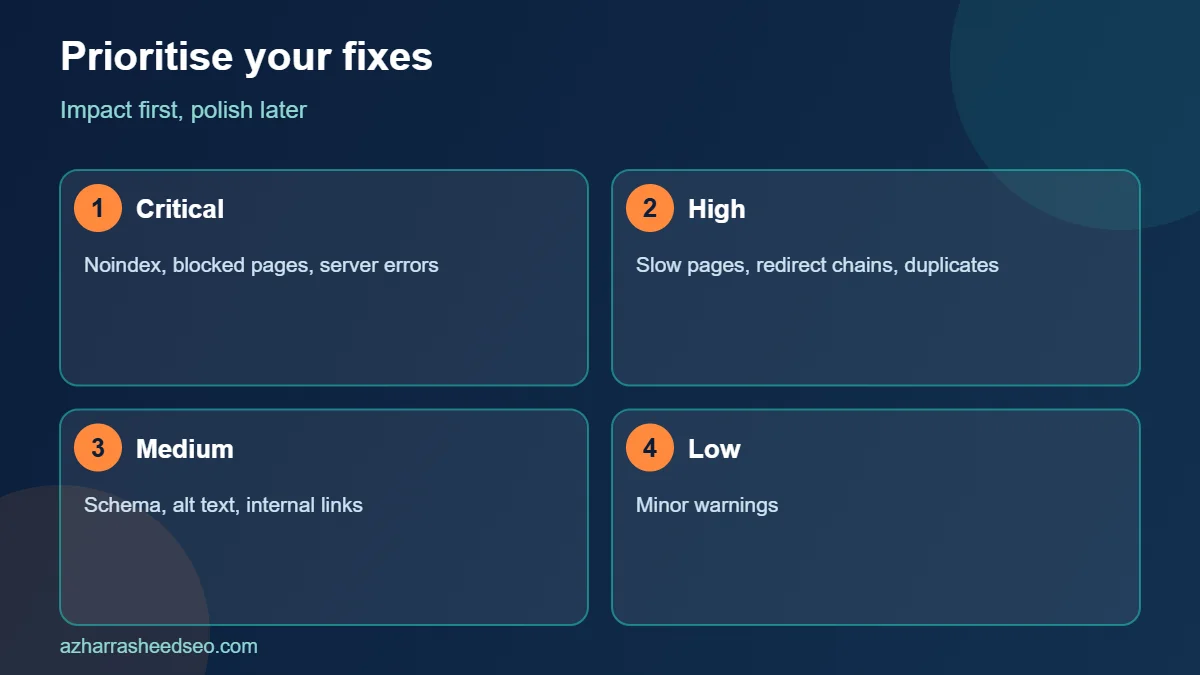
- Fix critical blockers first, such as noindex tags, blocked pages and server errors, before polishing minor warnings.
- Repeat the technical SEO audit every quarter, and after any redesign, migration or plugin change.
What is a technical SEO audit?
A technical SEO audit is a health check of the parts of a website that sit behind the content: the server, the code, the URLs and the signals that tell search engines which pages exist and which version to show. A complete technical SEO audit covers crawlability, indexability, site architecture, page speed, mobile usability, security, redirects, canonical tags and structured data.
The goal of a technical SEO audit is not to reach a perfect score in a tool. The goal is to remove obstacles between your best pages and the people searching for them. A clear technical SEO audit ends with a prioritised list of fixes, an owner for each fix and a date.
When should you run a technical SEO audit?
Run a technical SEO audit in these situations:
- Before you start any SEO project on a new client or website.
- After a redesign, domain change, CMS change or migration.
- When organic traffic or indexed pages drop suddenly.
- After installing or removing major plugins or themes.
- Every three to six months as routine maintenance.
For most small business websites in Pakistan, a quarterly technical SEO audit is enough. Larger or fast-changing sites may need monthly checks of key reports.
Tools you need for a technical SEO audit
You can run a solid technical SEO audit without paying for software. These tools are enough for most sites:
- Google Search Console: indexing, sitemaps, Core Web Vitals, crawl stats and security issues straight from Google.
- A site crawler: the free version of Screaming Frog can crawl up to 500 URLs and report status codes, titles, canonicals, redirects and directives.
- PageSpeed Insights: lab and field data for speed and Core Web Vitals.
- Rich Results Test and Schema Markup Validator: to test structured data.
- Browser developer tools: to inspect headers, rendered HTML and network requests.
Step 1: Set up your technical SEO audit baseline
Before you change anything, record the starting point of your technical SEO audit. Note the number of indexed pages in Search Console, total clicks and impressions for the last three months, Core Web Vitals status and the number of pages found by your crawler. This baseline lets you prove the value of the technical SEO audit later.
Also confirm that you have access to the right property in Search Console. A domain property covers every protocol and subdomain, while a URL-prefix property covers only one version of the site. Make sure the preferred version of the site redirects consistently: http to https, and www to non-www or the reverse.
Step 2: Check crawlability
If search engines cannot crawl a page, nothing else in your technical SEO audit matters for that page. Check these items:
- robots.txt: open yoursite.com/robots.txt and confirm it does not block important folders, CSS or JavaScript files. Google’s introduction to robots.txt explains that the file controls crawling, not indexing, so a blocked page can still appear in results if other pages link to it.
- Crawl errors: in Search Console, open Settings and then Crawl stats to see requests, response codes and any server problems.
- Internal links: run your crawler and confirm that all important pages are reachable through normal links, not only through search boxes or scripts.
- Crawl depth: important pages should be reachable within about three clicks from the homepage.
Step 3: Check indexability
The next part of a technical SEO audit asks which pages Google can add to its index, and which it chooses not to. Open the Pages report in Search Console and review both the indexed and the not-indexed groups.
- Noindex tags: make sure no important page carries a noindex directive in the meta robots tag or the X-Robots-Tag header. This is a frequent cause of pages disappearing after a site launch.
- Crawled but not indexed: this status usually points to thin, duplicate or low-value content, so improve those pages instead of resubmitting them.
- Discovered but not indexed: Google knows the URL but has not crawled it yet, which can reflect weak internal linking or crawl budget limits on big sites.
- Soft 404 pages: pages that look empty or say not found but return a 200 status should either be improved or return a proper 404 or 410 code.
- Canonical tags: confirm every page points to the correct canonical URL. Google’s guide to consolidating duplicate URLs explains how canonical signals work.
Use the URL Inspection tool to test individual pages. It shows the indexed status, the canonical Google chose, the last crawl date and a rendered view of the page.
Step 4: Review XML sitemaps
An XML sitemap helps search engines discover the URLs you want indexed. In your technical SEO audit, confirm that the sitemap exists, is submitted in Search Console and lists only canonical, indexable URLs that return a 200 status. Google’s sitemap overview notes that a single sitemap can hold up to 50,000 URLs or 50 MB uncompressed, so large sites need a sitemap index.
Remove redirected, noindexed and 404 URLs from the sitemap. A clean sitemap is a quick technical SEO audit win, because it sends clearer signals to Google about which pages matter.
Step 5: Audit site architecture and internal links
Site structure shows search engines how your pages relate. In your technical SEO audit, check that your main topics have hub pages, that related pages link to each other with descriptive anchor text and that no important page is an orphan with no internal links pointing to it. Keep URLs short and logical, and avoid creating multiple paths to the same content.
A simple structure for a service business is: homepage, service pages, location pages and a blog organised by topic cluster. For example, a local SEO hub can link to what local SEO is, the local SEO checklist and the Google Business Profile guide, and each of those pages links back to the hub.
Step 6: Check redirects and status codes
Your crawler will show the HTTP status code for every URL. In a technical SEO audit, look for:
- Redirect chains: A redirects to B, which redirects to C. Point A directly to C.
- Redirect loops: pages that redirect to each other forever.
- Temporary redirects (302) used for permanent moves. Use a 301 for permanent changes.
- 4xx errors: broken internal links should be updated, and deleted pages with real value should be redirected to the closest relevant page.
- 5xx errors: server errors need urgent attention from your host or developer.
Step 7: Test speed and Core Web Vitals
Page experience is part of every modern technical SEO audit. Core Web Vitals measure loading, interactivity and visual stability, and web.dev’s guide to Core Web Vitals gives the good thresholds: Largest Contentful Paint within 2.5 seconds, Interaction to Next Paint within 200 milliseconds and Cumulative Layout Shift under 0.1, measured at the 75th percentile of real visits.
Open the Core Web Vitals report in Search Console to see groups of URLs that need work, then test sample pages in PageSpeed Insights. Common fixes include compressing and resizing images, serving WebP, lazy-loading below-the-fold images, deferring unused JavaScript, using caching and choosing a faster host.
Step 8: Review mobile usability
Google uses the mobile version of a page for indexing, so your technical SEO audit must test the mobile experience. Open key pages on a real phone. Check that text is readable without zooming, buttons are easy to tap, content is the same as on desktop and pop-ups do not cover the page. Make sure that structured data, headings and internal links exist on the mobile version too.
Step 9: Check security and HTTPS
Confirm that the whole site loads over HTTPS, with a valid certificate and no mixed content warnings. Check the Security issues section in Search Console for hacking or malware alerts. In a technical SEO audit, also review that old http URLs redirect to https with a single 301 and that internal links use the https version directly.
Step 10: Validate structured data
Structured data helps search engines understand your content, and it must match what visitors see. Test your key templates with the Rich Results Test and the Schema Markup Validator. In a technical SEO audit, look for errors, warnings, missing required properties and markup for content that is not on the page. Common types for business websites include Organization, LocalBusiness, Article, BreadcrumbList and Product. Note that Google has stopped showing FAQ rich results in Search, so FAQ markup should be added for clarity, not for a visual badge.
Step 11: Look for duplicate and thin content
Technical problems often create duplicate pages: URL parameters, tag and archive pages, printer versions and www and non-www duplicates. Your crawler can group pages with identical titles or near-identical content. During the technical SEO audit, decide for each group whether to merge, redirect, canonicalise or noindex the pages. Thin pages with no unique value should be improved or removed.
Step 12: Prioritise and report
The most valuable output of a technical SEO audit is the action plan. Score each issue by impact, effort and risk, then group them into sprints.
| Priority | Example issues | Suggested timing |
|---|---|---|
| Critical | Noindex on key pages, robots.txt blocking, 5xx errors, wrong canonicals | Within a few days |
| High | Slow mobile pages, redirect chains, orphan pages, duplicate content | Within two to four weeks |
| Medium | Schema errors, missing alt text, weak internal links | Within one to two months |
| Low | Minor warnings, cosmetic markup issues | When time allows |
Write the report in plain language. For each issue, give the evidence, why it matters, the recommended fix and how you will verify it. Clients and managers value a technical SEO audit that is short, clear and tied to business outcomes such as indexed pages, clicks and leads.
A free technical SEO audit template you can copy
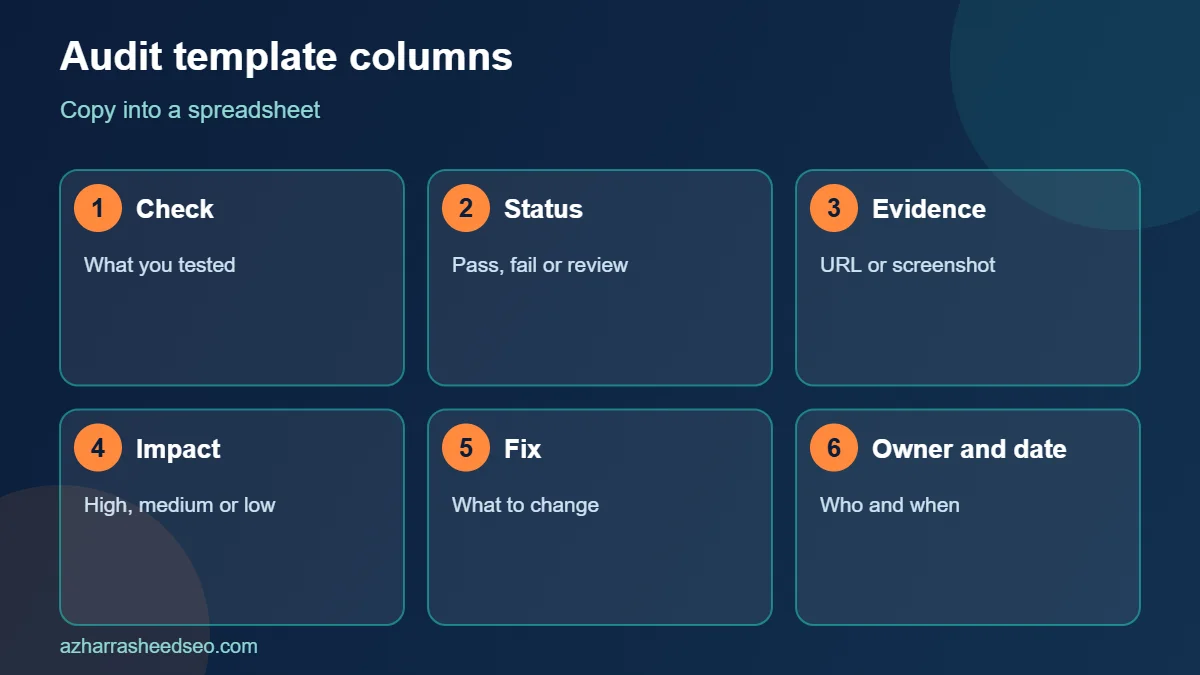
Copy this simple template into a spreadsheet and use it for every technical SEO audit. Create a tab for each area and a row for each check.
- Columns: check, status (pass, fail, review), evidence or URL, impact (high, medium, low), fix, owner and date fixed.
- Crawl tab: robots.txt, blocked resources, crawl depth, crawl errors.
- Index tab: noindex, canonicals, soft 404s, sitemap quality, not-indexed groups.
- Experience tab: Core Web Vitals, mobile view, HTTPS, pop-ups.
- Structure tab: internal links, orphan pages, redirects, status codes, duplicates.
- Markup tab: schema types, validation errors, consistency with visible text.
Using the same template for each technical SEO audit makes results comparable over time, and it makes the work easy to hand to a developer or an assistant.
Technical SEO audit for WordPress websites
WordPress sites have predictable issues that every technical SEO audit should check. Confirm that the Search Engine Visibility option under Settings and Reading is not set to discourage indexing, which developers sometimes leave on after a build. Check that permalinks are clean, that your SEO plugin outputs correct canonical tags and that tag, author and date archives are handled sensibly. Review plugins for bloat, because each extra script can slow the site. Use caching, compress images and keep themes and plugins updated for security.
If you use a page builder such as Elementor, test pages for excess DOM size and render-blocking scripts, which often hurt Largest Contentful Paint. A WordPress-focused technical SEO audit often finds that a few heavy plugins or images cause most of the speed problems.
Common technical SEO audit mistakes
- Trusting one tool. Every tool has blind spots, so compare crawler data with Search Console data in your technical SEO audit.
- Fixing everything at once. Start with critical blockers, then move down.
- Ignoring mobile. A desktop-only technical SEO audit misses what Google mostly sees.
- Not verifying fixes. After each fix, recrawl or use URL Inspection to confirm the issue is gone.
- Skipping the follow-up. A technical SEO audit is a cycle, not a one-time event.
How a technical SEO audit supports AI search visibility
AI search tools rely on pages that can be crawled, indexed and understood. Google’s guidance on AI features in Search says that a page must be indexed and eligible to appear with a snippet to be used in AI Overviews and AI Mode. That makes a technical SEO audit the first step of any strategy for ranking in Google AI Overviews or generative engine optimization. If your pages cannot be crawled and indexed, no amount of AI-focused writing will help.
Frequently asked questions
What is a technical SEO audit?
A technical SEO audit is a review of a website’s crawlability, indexability, speed, mobile usability, security, structure and structured data, designed to find and fix issues that hold back organic visibility.
How long does a technical SEO audit take?
A small website can be audited in two to four hours. A large or complex site can take several days, plus time to write the report and prioritise fixes.
How often should I run a technical SEO audit?
Run a full technical SEO audit every three to six months, and after any redesign, migration or major plugin change. Check Search Console reports monthly.
Can I do a technical SEO audit for free?
Yes. Google Search Console, PageSpeed Insights, the free version of Screaming Frog and Google’s structured data tools are enough for most small business sites.
What should I fix first after a technical SEO audit?
Fix anything that blocks crawling or indexing first, such as noindex tags, robots.txt blocks, server errors and wrong canonicals. Then move to speed, duplicates, structure and markup.
What is the difference between a technical SEO audit and an SEO audit?
A full SEO audit covers technical health, on-page content and off-page signals such as links. A technical SEO audit focuses only on the infrastructure that allows search engines to access and process the site.
Next steps
Open Search Console today, review the Pages and Core Web Vitals reports and start your technical SEO audit with the critical issues. If you want an expert to review your site, request a free SEO audit or read about choosing the best SEO expert in Pakistan.
Sources: Google Search Central, robots.txt introduction; Google Search Central, sitemaps overview; Google Search Central, consolidate duplicate URLs; web.dev, Web Vitals. Last updated 28 October 2026.
About the author: Azhar Rasheed Qureshi is an SEO specialist based in Pakistan who works on SEO, AEO, GEO, local SEO and WordPress development for local and international businesses. Connect on LinkedIn.