To optimize your Google Business Profile, verify the listing, choose the most specific primary category, enter your exact business name, address, hours and services, add real photos, collect genuine reviews and reply to every one, and keep the information current. Google ranks local results mainly on relevance, distance and prominence, so your job is to make the profile a complete, accurate match for what nearby customers search for.
This step-by-step guide shows how to set up and optimize your profile to appear in the Google Maps local pack and in local search results. It follows Google’s own guidelines, so you avoid the mistakes that cause suspensions. It is aimed at shops, clinics, restaurants, agencies and service businesses in Pakistan and other markets. For the full picture of local rankings, read our complete local SEO guide and the local SEO checklist.
Key takeaways
- Google says local results are based mainly on relevance, distance and prominence.
- You cannot pay Google for a better local ranking, so accuracy, completeness and reputation are the real levers.
- Your business name must match what is used in the real world. Adding keywords, taglines or locations to the name can lead to suspension.
- Reviews, photos and consistent details across the web strengthen prominence.
How Google decides who appears in the local pack
According to Google’s help page on improving local ranking, local results are based primarily on three factors:
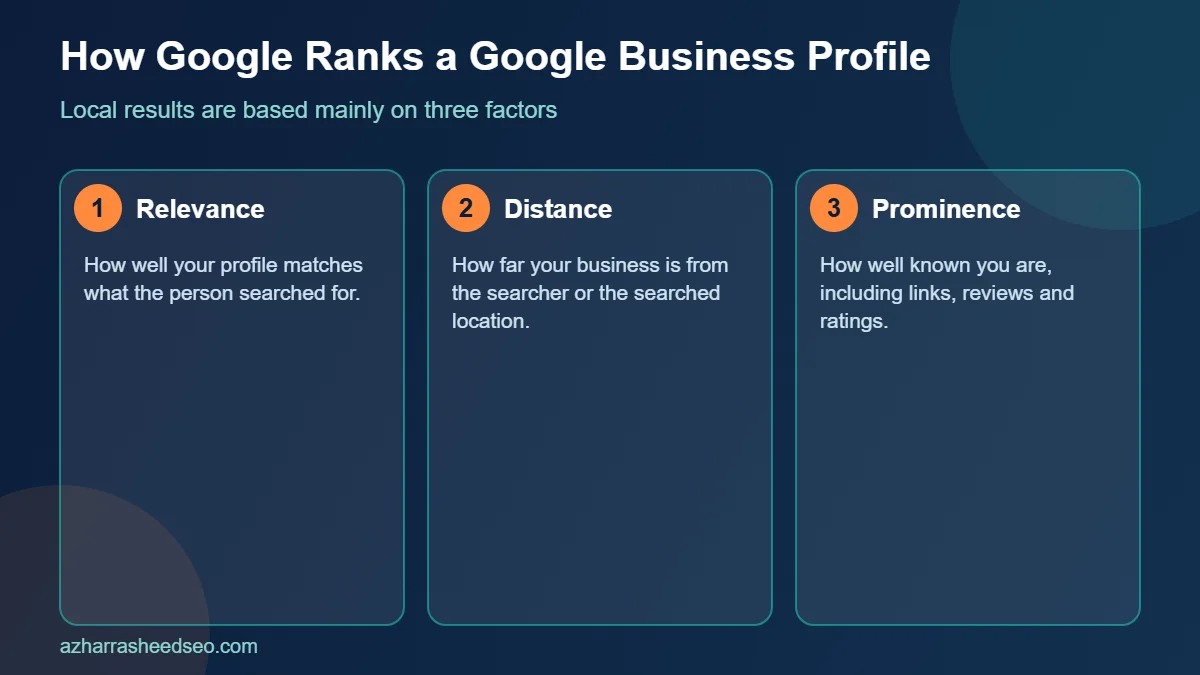
| Factor | Meaning | What you can influence |
|---|---|---|
| Relevance | How well your profile matches what the person searched for | Category, services, description, website content |
| Distance | How far your business is from the searcher or the searched location | Accurate address or service area (you cannot change where customers are) |
| Prominence | How well known your business is, including links, reviews and ratings | Reviews, mentions, links, citations, brand searches |
Google also states that you cannot request or pay for a better local ranking. That is why a careful, honest profile build matters more than shortcuts.
Step 1: Confirm you are eligible and create one profile
Per Google’s guidelines, a business can have a profile if it has a physical location customers can visit or if it travels to customers. Keep to one profile per business. Multiple profiles for the same location can cause display problems on Maps and Search. Virtual offices, P.O. boxes and remote mailboxes are not acceptable addresses.
- Shop, clinic or office customers visit: show your address.
- Plumber, electrician or home-service business: hide your address and set a service area.
- Both: show the address and add a service area.
Step 2: Use the correct business name
Your name should match your real-world name on signage, your website and your stationery. Google’s guidelines disallow extra information in the name, such as taglines, store codes, hours, phone numbers, URLs, location details and service descriptions. Examples Google gives include “Open 24 hours” and “near SOHO”. Adding unnecessary words to the name could lead to suspension. This means “Best Dentist in Islamabad – Dr Ali Clinic” is risky, while “Dr Ali Clinic” is correct.
Step 3: Choose your categories carefully
Select the fewest categories needed to describe your core business, and make them as specific as possible. Google explains that a category should complete the sentence “This business IS a…”, not describe services or attributes. Your primary category is one of the strongest relevance signals, so pick the one that matches your main revenue source, for example “Dentist” rather than “Health”.
Tip: search your main keyword on Google Maps and check the categories used by the top-ranked competitors. Use them as a reference, and only choose ones that truly describe your business.
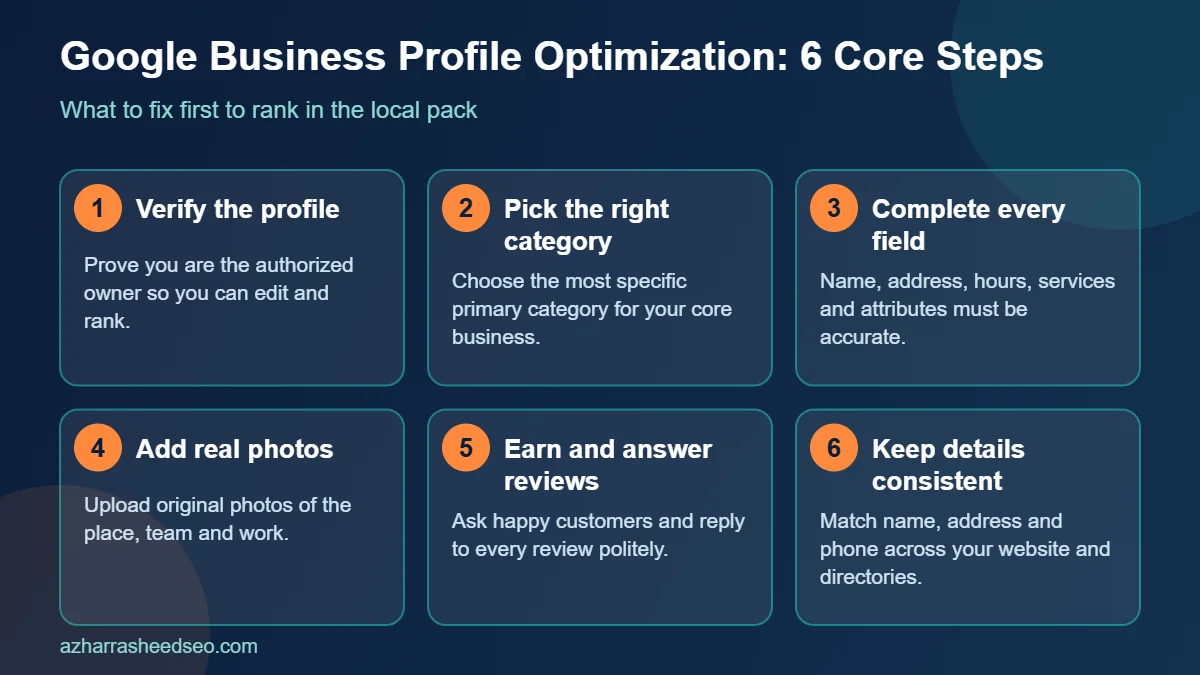
Step 4: Verify the profile
Verification tells Google you are the authorized representative of the business. Complete whichever method Google offers for your location (such as video or phone, depending on availability). Unverified profiles have limited visibility and editing options.
Step 5: Complete every section accurately
- Address or service area: use a precise, real-world address that matches your website and other listings.
- Phone number: use a local number that you answer. Keep the same number everywhere online.
- Website: link to the most relevant page, usually the homepage or a dedicated location page.
- Hours: set regular hours, and special hours for holidays such as Eid. Wrong hours frustrate customers and lead to poor reviews.
- Services and products: list each service with a short, clear description. Use the words customers use.
- Attributes: add details like wheelchair access, parking, Wi-Fi, women-led or online appointments where they apply.
- Business description: write a clear summary of what you do and who you serve. Do not include promotions, prices or links in the description, which Google lists among policy violations.
Step 6: Add real photos and videos
Google recommends adding photos and videos to show what you offer. Upload a logo, cover photo, exterior and entrance, interior, team, products and completed work. Use original images taken with a phone or camera, not stock photos. Add new photos regularly, since fresh images signal an active business. Compress images before uploading so they load quickly.
Step 7: Build reviews the right way
Reviews feed prominence, and Google confirms that review count and score affect local ranking. Follow these practices:
- Ask every satisfied customer using your direct review link, shared by WhatsApp, SMS, email or a QR code at the counter.
- Do not offer incentives for reviews and do not write fake ones. Google’s policies prohibit fake and incentivized reviews, and they can be removed.
- Reply to every review, positive or negative. Google recommends responding to reviews to show you value feedback. Keep replies polite, specific and short.
- Handle negative reviews calmly: acknowledge the problem, offer to resolve it offline and never argue in public.
Step 8: Post updates and keep the profile fresh
Use Google Posts for offers, events and news where available, and update your profile whenever your hours, services or contact details change. An accurate, active profile earns trust from customers and search systems.
Step 9: Strengthen prominence outside Google
- Keep NAP consistent: your name, address and phone number should match across your website, social profiles and directories.
- Create a strong location page on your website with the same details, an embedded map, services, testimonials and local content.
- Earn local mentions and links from chambers of commerce, local blogs, news sites and partners.
- Add LocalBusiness schema markup to your site, with details that match the profile.
Step 10: Track performance
Review the profile’s Performance data for searches, calls, direction requests and website clicks. Add UTM parameters to your website link so the visits show up in Google Analytics. Check your position for your main keywords from a few different nearby locations, because local results vary by searcher location.
Common mistakes that cause suspensions or lost rankings
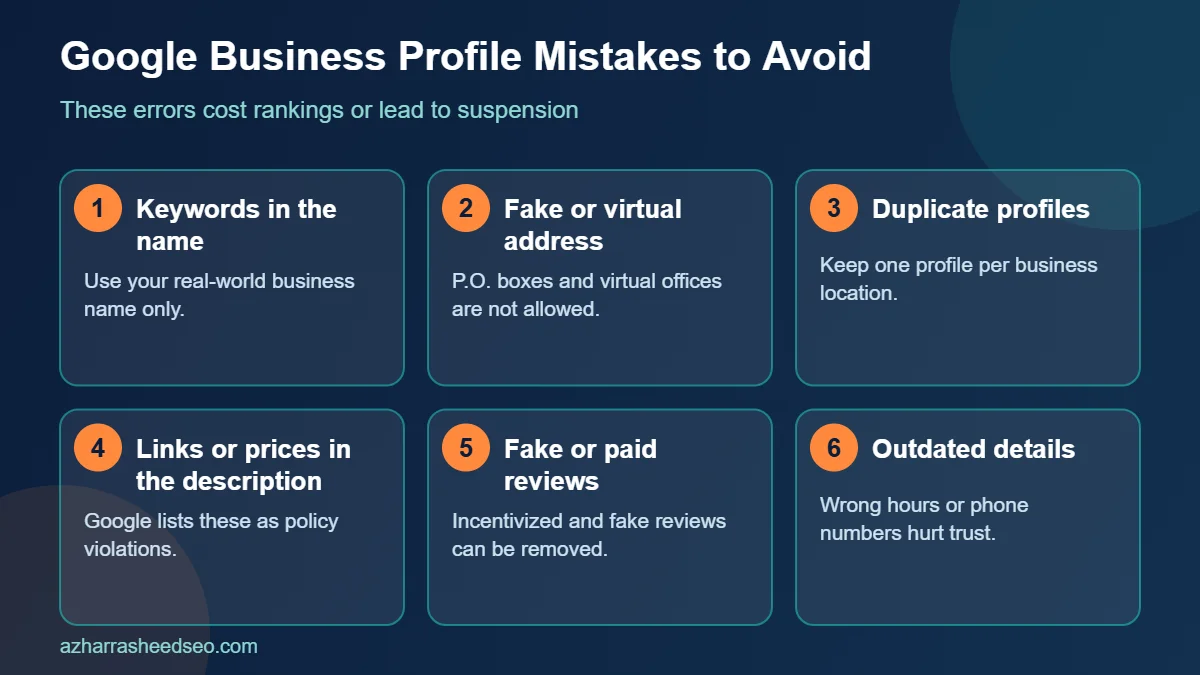
- Adding keywords or locations to the business name.
- Using a virtual office, P.O. box or fake address.
- Creating duplicate profiles for the same location.
- Putting links, prices or promotions in the description.
- Buying or incentivizing reviews.
- Leaving wrong hours, an old phone number or a closed-business status uncorrected.
Google Business Profile optimization checklist
| Task | Done? |
|---|---|
| One profile, verified | ☐ |
| Real-world business name, no extra keywords | ☐ |
| Specific primary category and only relevant secondary ones | ☐ |
| Accurate address or service area | ☐ |
| Local phone number and correct website link | ☐ |
| Regular and special hours set | ☐ |
| All services listed with descriptions | ☐ |
| Original photos uploaded and refreshed | ☐ |
| Review link shared with customers, all reviews answered | ☐ |
| NAP consistent across directories and website | ☐ |
| Location page and LocalBusiness schema on website | ☐ |
Google Business Profile and your website: how they work together
A strong Google Business Profile does not replace your website. The two work as a pair. Your Google Business Profile gives Google structured facts about your business, such as category, address, hours and reviews, while your website gives Google the depth: service pages, location pages, pricing guidance and proof of experience. When both tell the same story, Google can match your business to more local searches with more confidence.
- Link each Google Business Profile to the right page. A single-location business can use the homepage. A business with several branches should link each Google Business Profile to its own location page.
- Repeat the same name, address and phone number. Small differences, such as “Road” in one place and “Rd” in another, create doubt. Keep the Google Business Profile and website details identical.
- Use the same service names. If the Google Business Profile lists “Teeth whitening”, the website should have a page with that wording, not only “Cosmetic dentistry”.
- Embed your map. Adding the Google map for your Google Business Profile to the contact or location page helps visitors and reinforces the connection.
Google Business Profile tips for businesses in Pakistan
Local customers in Islamabad, Rawalpindi, Lahore and Karachi often search on a phone, in a hurry, and often with a landmark or sector name. A few practical habits make your Google Business Profile work harder in this market:
- Write the address the way customers search. Include the sector, block or plaza name exactly as it appears on your signboard, and add a clear pin on the map. Many local listings lose calls because the Google Business Profile pin is a street away from the real shop.
- Set special hours for Eid, Ramadan and public holidays. A Google Business Profile that shows the wrong opening time creates complaints and poor reviews. Update hours before each holiday, not after.
- Use a number that is answered on WhatsApp or by phone. Many customers call straight from the Google Business Profile listing. A missed call is a lost lead.
- Ask for reviews in the language the customer uses. A review in English or Urdu both count. Make it easy by sending the direct review link on WhatsApp after the job is done.
- Add photos that show the real place. A clear exterior photo helps people find the entrance. Upload new Google Business Profile photos each month, such as finished work, team members and new stock.
A 30-day Google Business Profile action plan
If you are starting from scratch or cleaning up an old listing, spread the work over a month so every change is careful and accurate.
- Week 1: foundation. Claim and verify the Google Business Profile, fix the name, set the primary category and check that the address, phone number and website link are correct. Remove duplicates.
- Week 2: completeness. Add every service, set regular and special hours, write the description and complete the attributes that apply to your business. Upload at least ten original photos to your Google Business Profile.
- Week 3: reputation. Create your direct review link, add it to invoices, receipts and WhatsApp messages, and start asking every happy customer. Reply to every existing review on your Google Business Profile.
- Week 4: measurement and growth. Review the Google Business Profile performance data, add tracking to the website link, check your rankings from nearby locations and plan next month’s photos and posts.
How to measure whether your Google Business Profile is working
You do not need complicated software to judge progress. Track a small set of numbers each month and compare them with the previous month. Open the performance section of your Google Business Profile and note the number of profile views, calls, direction requests and website clicks. Then check Google Analytics for visits that arrive from your Google Business Profile link, which you can tag with UTM parameters. Finally, search your main service keyword from several nearby areas and note where your Google Business Profile appears in the map results.
If views rise but calls stay flat, review your photos, reviews and phone number. If calls rise but few become customers, review your service descriptions and prices so the right people contact you. Small, regular improvements to the Google Business Profile usually beat occasional large rewrites.
Frequently overlooked Google Business Profile details
- Business name consistency. The name on the Google Business Profile should match signage and the website. Never add keywords or locations to the name.
- Secondary categories. Add only categories that truly describe what you do, so your Google Business Profile does not appear for unrelated searches.
- Service area settings. If you travel to customers, hide the address and list the areas you really serve in your Google Business Profile.
- Ownership access. Keep at least two trusted owners or managers on the Google Business Profile so you are never locked out if one person leaves.
- Review replies. Respond to reviews on the Google Business Profile within a few days, and keep a polite, factual tone.
How to reply to Google Business Profile reviews
Replies are part of managing a Google Business Profile, and Google recommends responding to reviews to show customers that you value their feedback. A short, specific reply also shows future customers how you treat people. Keep every reply polite, factual and free of private details.
- Positive review: thank the customer by name, mention the service they used and invite them back. For example, “Thank you, Ahmed. We are glad the repair was finished on time. Please call us if you need anything else.”
- Neutral review: thank the customer, acknowledge what could be better and say what you will do about it.
- Negative review: apologize for the experience, avoid arguing, state the facts calmly and offer to resolve the issue offline with a phone number or email. Never share personal information about the customer on your Google Business Profile.
- Fake or abusive review: flag it from the Google Business Profile dashboard and keep a record, then reply politely if the review stays visible.
Replying within a few days is a good target. A regular reply routine keeps your Google Business Profile active and builds trust with people who read your reviews before they call.
Final checklist before you finish your Google Business Profile
Before you close the dashboard, read your Google Business Profile as a customer would. Is the name exactly what appears on your signboard? Does the map pin sit on the entrance? Are the hours right for this week? Does every service have a clear description and does the website link open the most useful page? Do the photos look recent and real? If every answer is yes, your Google Business Profile is ready to compete, and your next job is to keep earning reviews and keeping the details up to date.
Frequently asked questions
How do I optimize my Google Business Profile?
Verify the profile, use your real business name, choose a specific primary category, fill in every field accurately, add original photos, gather genuine reviews and respond to them, and keep information updated.
How long does it take to rank in Google Maps?
There is no guaranteed timeline. Profile edits can be reflected within days, but building reviews, mentions and prominence usually takes weeks to months, and results depend on competition in your area.
Can I pay Google to rank higher in the local pack?
No. Google states that you cannot request or pay for a better local ranking. Paid Local Services or Ads placements are separate from organic local results.
Does the business name affect local ranking?
The name should reflect your real brand. Adding keywords that are not part of your real-world name violates Google’s guidelines and can lead to suspension.
How many categories should I choose?
Choose the fewest categories required to describe your core business, with a specific primary category that matches your main service.
Do I need a website for a Google Business Profile?
It is not mandatory, but a website with a matching location page strengthens relevance and prominence and gives customers a place to learn more and contact you.
What if I run a home-based or service-area business?
Hide your address and set a service area. Google’s guidelines say service-area businesses that travel to customers should do this.
Next steps
Open your profile today and work through the checklist above, starting with the name, categories and hours. If you want help with a full local audit or ongoing management, see our guide on how to choose the best SEO expert in Pakistan or request a free SEO audit.
Sources: Google Business Profile Help, Improve your local ranking; Google Business Profile Help, Guidelines for representing your business. Last updated 28 October 2026.
About the author: Azhar Rasheed Qureshi is an SEO specialist based in Pakistan who works on SEO, AEO, GEO, local SEO and WordPress development for local and international businesses. Connect on LinkedIn.