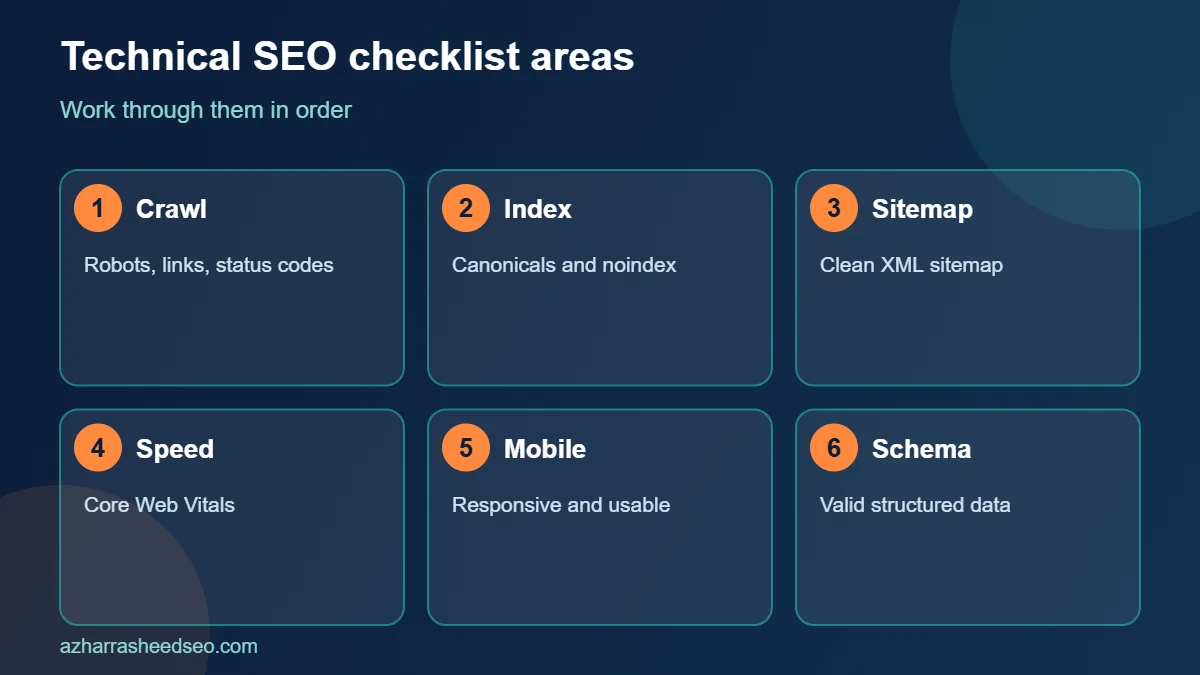
A technical SEO checklist is a step-by-step list of the site-level checks that make sure search engines can crawl, render, index and understand your pages, and that visitors get a fast, stable, secure experience. If any item in the crawl and index sections fails, your content cannot rank, however good it is. Work through this list in order: crawlability, indexability, site architecture, page experience, mobile, security, structured data and monitoring.
This checklist is written for WordPress and general websites, with notes for small business sites in Pakistan and elsewhere. Use it as a quick audit today, then repeat it every quarter. If you would rather have an expert run the audit for you, request a free SEO audit.
Quick summary
- Fix crawling and indexing problems first. Nothing else matters if pages are not indexed.
- Google’s “good” Core Web Vitals targets are LCP of 2.5 seconds or less, INP of 200 milliseconds or less and CLS of 0.1 or less, measured at the 75th percentile of page loads.
- Use one canonical URL per page, one working HTTPS version of the site, and a clean XML sitemap that lists only indexable pages.
- Check Google Search Console monthly. It is free and shows what Google actually sees.
Tools you need
You can complete this checklist with free tools: Google Search Console, PageSpeed Insights, Chrome DevTools and a crawler such as Screaming Frog (free for up to 500 URLs). Paid platforms add scheduling and reporting but are not required for a small site.
1. Crawlability checklist
Crawlability is whether search engine bots can reach your pages.
- Open yourdomain.com/robots.txt and read it. Confirm you are not blocking important folders, CSS or JavaScript files. A single line such as
Disallow: /left over from development can block the whole site. - Remember what robots.txt does. It controls crawling, not indexing. Google advises against using robots.txt for choosing canonical URLs, and a blocked page can still appear in results if other sites link to it.
- Test key URLs with the URL Inspection tool in Search Console to see whether Google can fetch and render them.
- Check your CDN and firewall settings. Security plugins and CDN rules sometimes block Googlebot or other crawlers by mistake.
- Review the Crawl Stats report (Search Console, Settings) for spikes in server errors or slow response times.
- Find orphan pages. Every important page should be linked from at least one other page. Compare your sitemap URLs with the URLs a crawler discovers by following links.
2. Indexability checklist
Indexability is whether a crawled page is eligible to be stored and shown in results.
- Open the Page indexing report in Search Console. Review the reasons pages are not indexed, such as “Crawled – currently not indexed”, “Duplicate without user-selected canonical” and “Excluded by noindex tag”.
- Search your site for accidental noindex tags. In WordPress, check Settings, Reading, “Discourage search engines from indexing this site”, and your SEO plugin’s per-page and per-post-type settings.
- Use one canonical URL per page. Google lists three methods, from strongest to weakest influence: redirects,
rel="canonical"annotations and sitemap inclusion. Add a self-referencing canonical on each indexable page, use absolute URLs, and do not give conflicting canonicals through different methods. - Handle duplicates. Pick one version of your site (with or without www, HTTPS only) and 301 redirect the others. Consolidate tag, category and parameter URLs that repeat the same content.
- Fix soft 404s and thin pages. Empty category pages and “no results” pages that return a 200 status waste crawl attention. Return a real 404 or 410, or improve the page.
- Check pagination and filters. Make sure filtered or sorted URLs do not generate thousands of near-duplicate pages.
3. XML sitemap checklist
- Confirm a sitemap exists and loads (for example, yourdomain.com/sitemap_index.xml in WordPress with Rank Math or Yoast).
- List only canonical, indexable, 200-status URLs. Remove redirects, noindex pages and 404s.
- Submit it in Search Console under Sitemaps and check for errors.
- Reference it in robots.txt with a
Sitemap:line.
Google notes that a sitemap is most helpful for large sites, new sites with few external links, and sites with lots of video, image or news content. It suggests you may not need one if your site has roughly 500 pages or fewer and is well linked internally. Even so, a clean sitemap is a useful monitoring tool for small sites.
4. Site architecture and internal linking
- Keep important pages within three clicks of the homepage.
- Use descriptive, short URLs with hyphens and no unnecessary parameters.
- Build topic clusters. Link supporting articles to a main pillar page and back, using descriptive anchor text. For example, a technical guide can link to a local SEO guide and to the local SEO checklist.
- Add breadcrumbs with matching BreadcrumbList markup.
- Fix broken internal links and redirect chains. Update links to point straight to the final URL.
5. Page experience and Core Web Vitals
Core Web Vitals are Google’s field metrics for loading, responsiveness and visual stability. According to web.dev, a page is “good” when, at the 75th percentile of page loads (segmented by mobile and desktop):
| Metric | What it measures | Good threshold |
|---|---|---|
| Largest Contentful Paint (LCP) | Loading speed of the main content | 2.5 seconds or less |
| Interaction to Next Paint (INP) | Responsiveness to taps, clicks and key presses | 200 milliseconds or less |
| Cumulative Layout Shift (CLS) | Visual stability while the page loads | 0.1 or less |
Practical fixes for WordPress sites:
- Images: serve WebP, set explicit width and height, lazy-load images below the fold and never lazy-load the main hero or featured image.
- Caching and hosting: use full-page caching, a CDN and a host with a fast server response time.
- Scripts and styles: remove unused plugins, defer non-critical JavaScript and avoid loading heavy page-builder assets where they are not needed.
- Fonts: self-host, preload the main font and use
font-display: swap. - Layout shifts: reserve space for ads, embeds, banners and cookie notices.
Test in PageSpeed Insights and review the Core Web Vitals report in Search Console, which uses real-user data. Lab scores can differ from field data, so treat the field results as the reference.
6. Mobile-friendliness
- Use a responsive design with the same content on mobile and desktop. Google indexes the mobile version of your content.
- Check tap targets, font size and viewport settings on a real phone.
- Avoid intrusive pop-ups that cover the main content on mobile.
7. Security and server checks
- Serve the whole site over HTTPS with a valid certificate and a 301 redirect from HTTP.
- Fix mixed content (HTTP images or scripts on HTTPS pages).
- Use correct status codes. 200 for live pages, 301 for permanent moves, 404 or 410 for removed pages, and avoid long 302 chains.
- Keep WordPress, themes and plugins updated and use a reputable security plugin and regular backups.
8. Structured data checklist
- Add Organization or LocalBusiness, Person (author), Article and BreadcrumbList markup where they apply. Rank Math and Yoast can generate most of this.
- Keep markup consistent with the visible content. Do not mark up information that users cannot see.
- Validate with Google’s Rich Results Test and the Schema Markup Validator.
- Do not expect FAQ rich results. Google’s documentation shows the FAQ rich result is no longer displayed in Search (updated June 2026). FAQ sections still help readers and answer extraction, so keep them on the page.
9. On-page technical elements
- One H1 per page, a logical heading order and a unique title tag and meta description for every page.
- Descriptive alt text on meaningful images.
- Hreflang tags if you serve several languages or countries, for example English pages for Pakistan, the UK and the Gulf.
- A helpful 404 page with links to key sections.
10. Monitoring routine
| Frequency | Task |
|---|---|
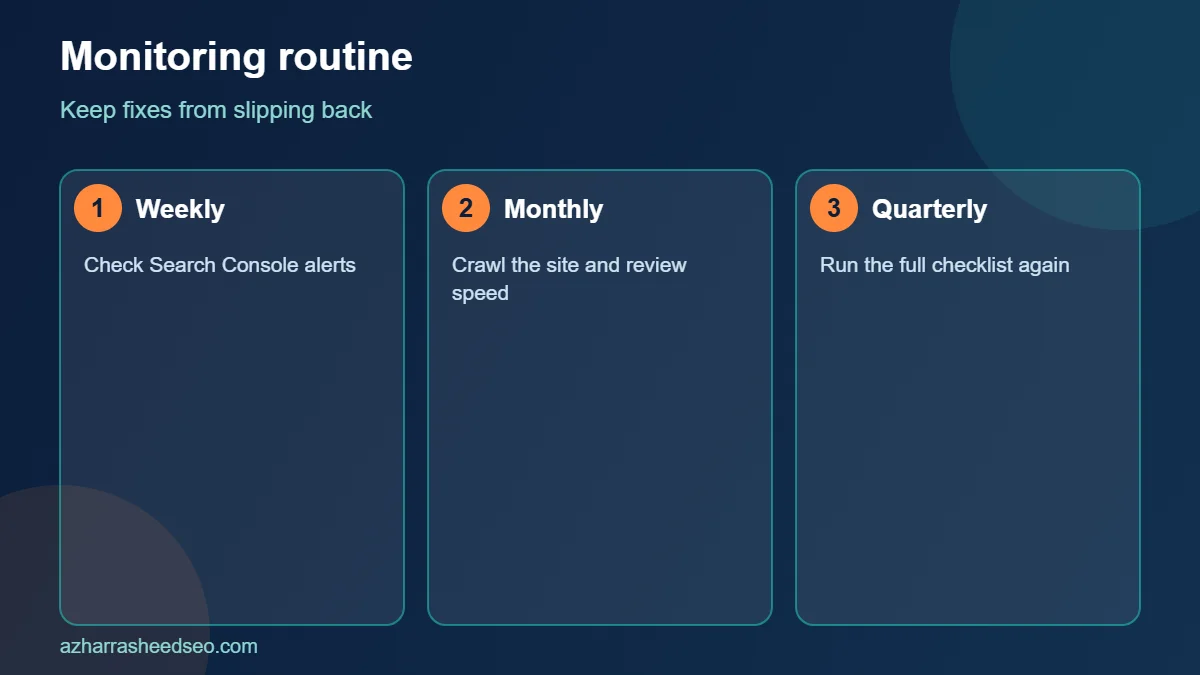
| Weekly | Check Search Console for new indexing errors, security issues and manual actions. |
| Monthly | Review Core Web Vitals, crawl stats, 404s and sitemap status. |
| Quarterly | Run a full crawl, review redirects, plugins, internal links and structured data. |
| After any redesign or migration | Re-crawl, compare against the old URL list, and verify redirects and canonicals. |
How to use this technical SEO checklist in order
A technical SEO checklist is most useful when you follow it in order. Start your technical SEO checklist with crawling, because a page that cannot be crawled cannot be indexed. Move down the technical SEO checklist to indexing, then sitemaps, then architecture, and only then spend time on speed and structured data. Following the technical SEO checklist in this order saves time, because early fixes often solve later problems too.
For every item on the technical SEO checklist, write down three things: what you checked, what you found and what you changed. This simple log turns the technical SEO checklist into an audit trail you can share with a client, a developer or a manager.
Technical SEO checklist priorities: what to fix first
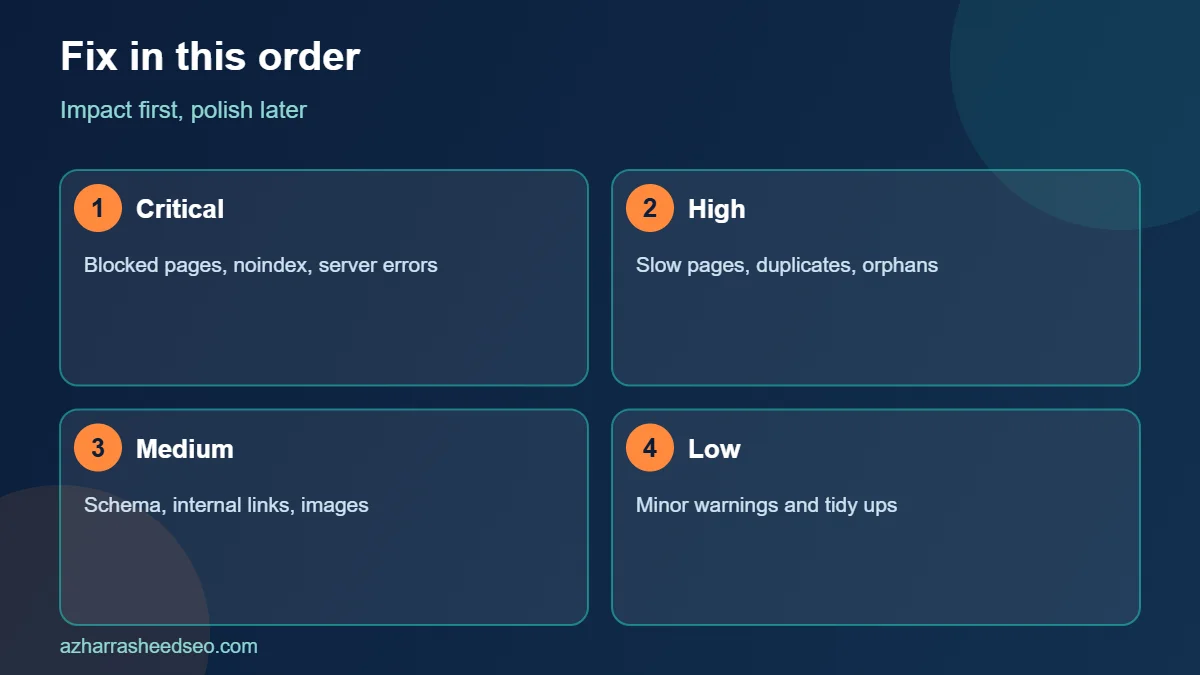
Not every item in a technical SEO checklist has the same impact. Use this order of priority when your technical SEO checklist turns up many issues:
- Critical: pages blocked from crawling, accidental noindex tags, broken redirects, server errors and a missing or wrong canonical. These are the first items on any technical SEO checklist.
- High: slow mobile pages, poor Core Web Vitals, duplicate pages and orphan pages. Your technical SEO checklist should treat these as the next sprint.
- Medium: missing structured data, weak internal links and large images. Add them to the technical SEO checklist backlog.
- Low: minor markup warnings and tidy-ups. Keep them on the technical SEO checklist, but do not let them delay important fixes.
Official documentation behind the technical SEO checklist
Each check in this technical SEO checklist follows public guidance. Google’s SEO starter guide covers the basics of crawling and indexing, and web.dev’s guide to Core Web Vitals explains the speed and stability metrics included in every modern technical SEO checklist. Use both pages to confirm your technical SEO checklist matches current best practice.
Common technical SEO checklist mistakes to avoid
The most common mistake is treating the technical SEO checklist as a one-time task. Websites change every week as plugins update, pages are added and redirects pile up, so the technical SEO checklist should be repeated at least quarterly. Another mistake is fixing symptoms instead of causes. If your technical SEO checklist shows many soft 404 pages, find out why they exist before you redirect them one by one.
A third mistake is ignoring mobile. Most searches happen on phones, so every technical SEO checklist should include real mobile testing, not just a desktop crawl. Finally, do not forget to retest. After you fix an item on the technical SEO checklist, confirm the fix in Search Console or with a fresh crawl, and note the date in your log.
Technical SEO checklist for WordPress sites
If your website runs on WordPress, add a few extra lines to the technical SEO checklist. Check that your permalink structure is clean, that search engine visibility is not discouraged in settings, that your SEO plugin outputs correct canonical tags and that caching and image compression are active. Remove unused plugins, update themes and test your forms. A WordPress-specific technical SEO checklist catches the issues that plugins and themes commonly introduce, and it keeps the site fast, secure and easy to crawl.
Frequently asked questions
What is technical SEO?
Technical SEO is the optimization of a website’s infrastructure so search engines can crawl, render, index and understand its pages. It covers areas like robots.txt, sitemaps, canonical tags, site speed, mobile usability, security and structured data.
How often should I run a technical SEO audit?
Run a quick check in Search Console every month and a full crawl-based audit every quarter. Also audit after a redesign, migration, theme change or major plugin update.
What are the Core Web Vitals thresholds?
Per web.dev, good scores are LCP of 2.5 seconds or less, INP of 200 milliseconds or less and CLS of 0.1 or less, at the 75th percentile of page loads.
Do I need an XML sitemap for a small website?
Google says smaller, well-linked sites of roughly 500 pages or fewer may not need one. A sitemap is still low effort and helps you monitor indexing, so most sites should have it.
Does robots.txt stop a page from being indexed?
Not reliably. Robots.txt controls crawling. To keep a page out of results, use a noindex directive on a crawlable page or restrict access, and do not block the page in robots.txt at the same time, because Google then cannot see the noindex tag.
Is technical SEO still important with AI search?
Yes. Google states a page must be indexed and eligible to show with a snippet to appear in AI Overviews and AI Mode, and no special markup is required. Technical accessibility is the base layer for generative engine optimization as well.
Next steps
Start with Search Console: fix indexing errors, submit a clean sitemap, then tackle Core Web Vitals on your most important pages. If you would like an expert to review your site, request a free SEO audit.
Sources: web.dev, Web Vitals; Google Search Central, consolidate duplicate URLs; Google Search Central, sitemaps overview; Google Search Central, AI features and your website. Last updated 28 October 2026.
About the author: Azhar Rasheed Qureshi is an SEO specialist based in Pakistan who works on SEO, AEO, GEO, local SEO and WordPress development for local and international businesses. Connect on LinkedIn.